
Real-Time Voice
Real-Time Voice enables natural conversation using multimodal language models that process audio input and generate audio output directly. How it works:- The Platform uses the configured real-time voice model to process user audio and generate audio responses.
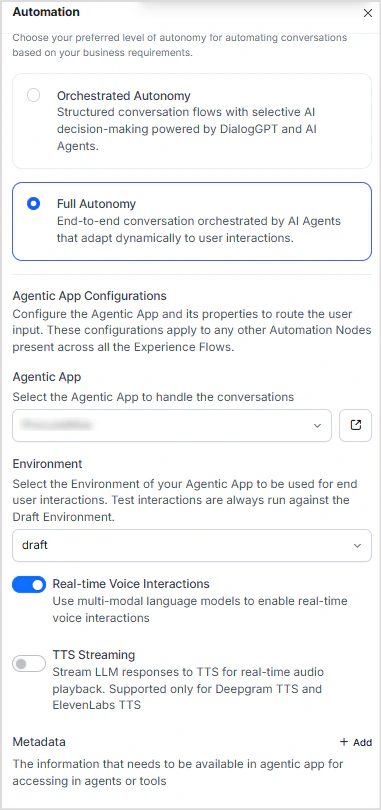
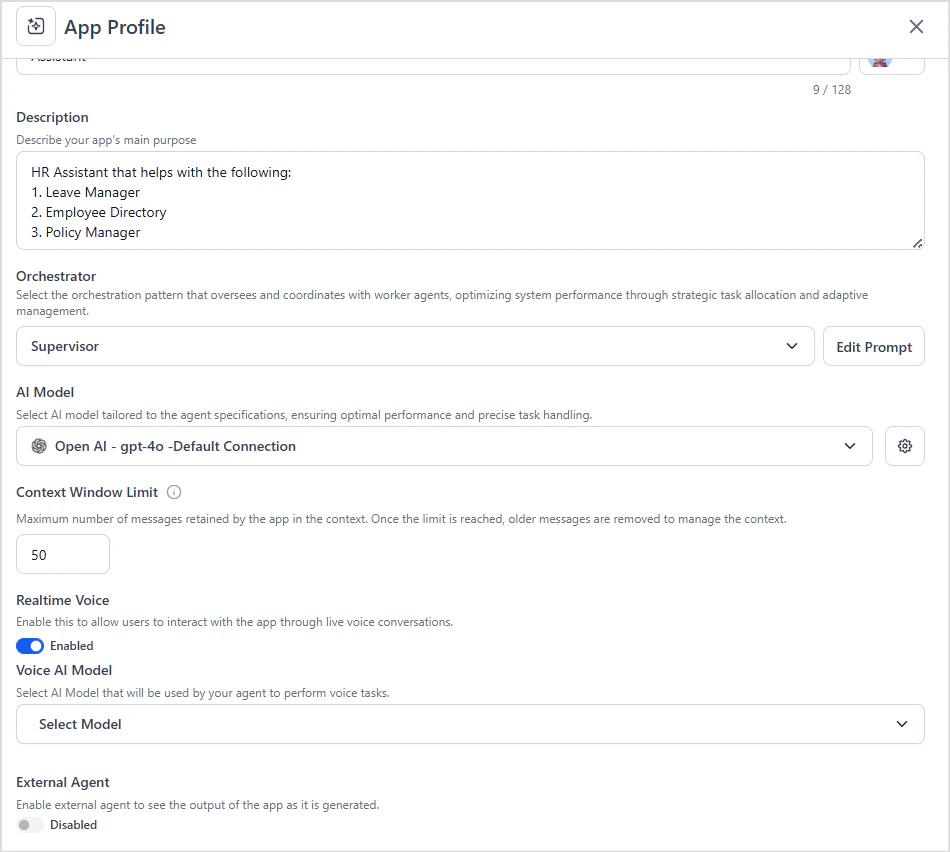
- Real-Time Voice must be enabled in both the AI for Service Automation Node and the Agentic App on the Platform.
- If not enabled on the Platform side, audio requests fail with errors.
- When Real-Time Voice is disabled in the Automation Node, the system defaults to ASR/TTS.
Note: Wait Time Experience is not supported for Real-Time Voice interactions.To configure:
- Enable Real-Time Voice in the AI for Service Automation Node.
- Enable Real-Time Voice in the Agentic App and configure a model that supports real-time voice.
TTS Streaming (ASR/TTS)
TTS Streaming is the default when Real-Time Voice is disabled. The Platform uses a text-based LLM to generate responses; AI for Service converts the text to speech using TTS engines (Deepgram, ElevenLabs). How it works:- The Platform generates a text response and sends it to AI for Service.
- AI for Service converts the text to speech using configured TTS engines.
- When TTS Streaming is off, the full audio response is delivered only after the complete output is generated.
- When TTS Streaming is on, text is streamed progressively as it is generated, reducing latency.
- Disable Real-Time Voice in the AI for Service Automation Node.
- To enable streaming, turn on the TTS Streaming option.
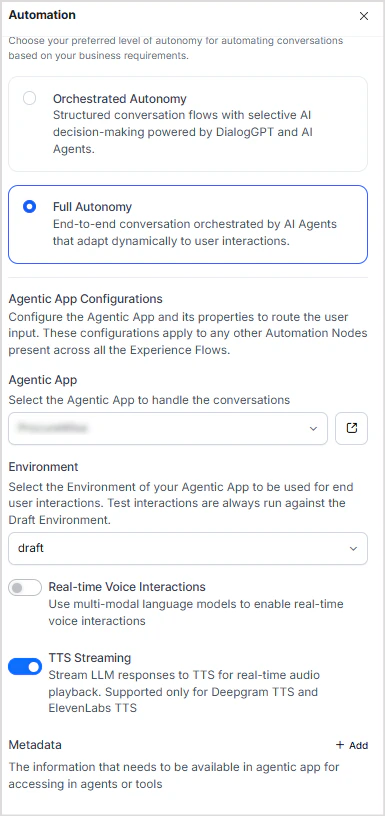
- No additional configuration is required on the Platform side.