Test Case Execution
You can execute test cases on the Conversation Testing Landing Page and the individual Test Case details page. Follow these steps for test execution:-
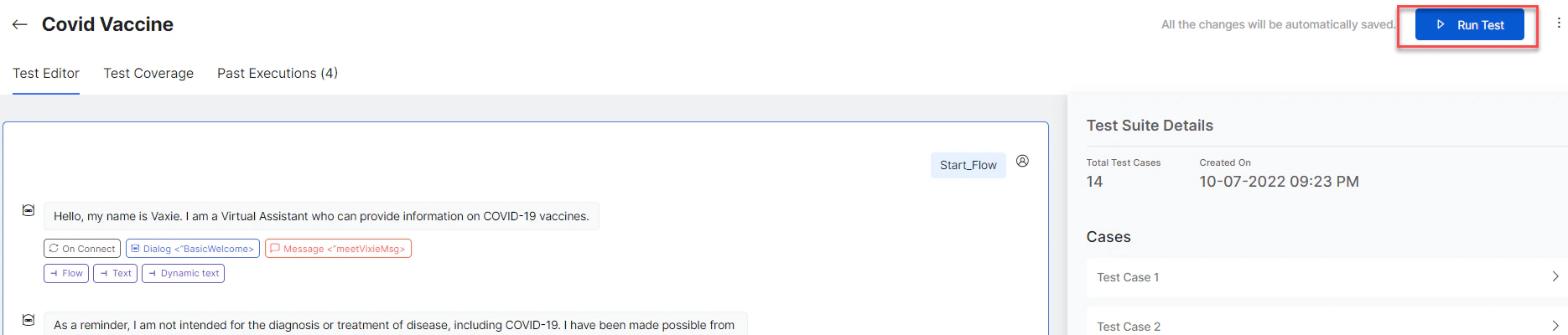
On the Test Suite Details page, select the test suite and then click the Run Test Suite button for that specific suite.

-
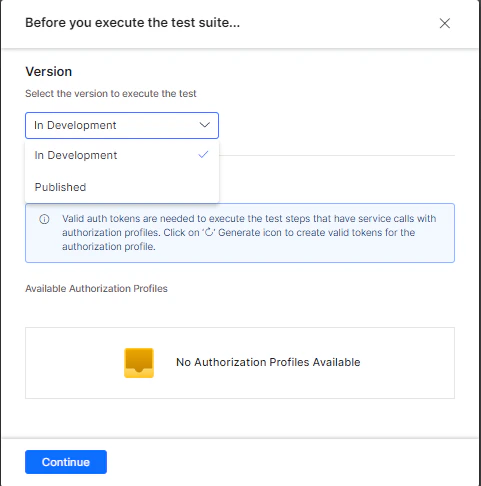
Choose the Version of the app you want to test.
Ensure that you have valid authorization tokens for the app to make the service calls that would be part of the test suite.
-
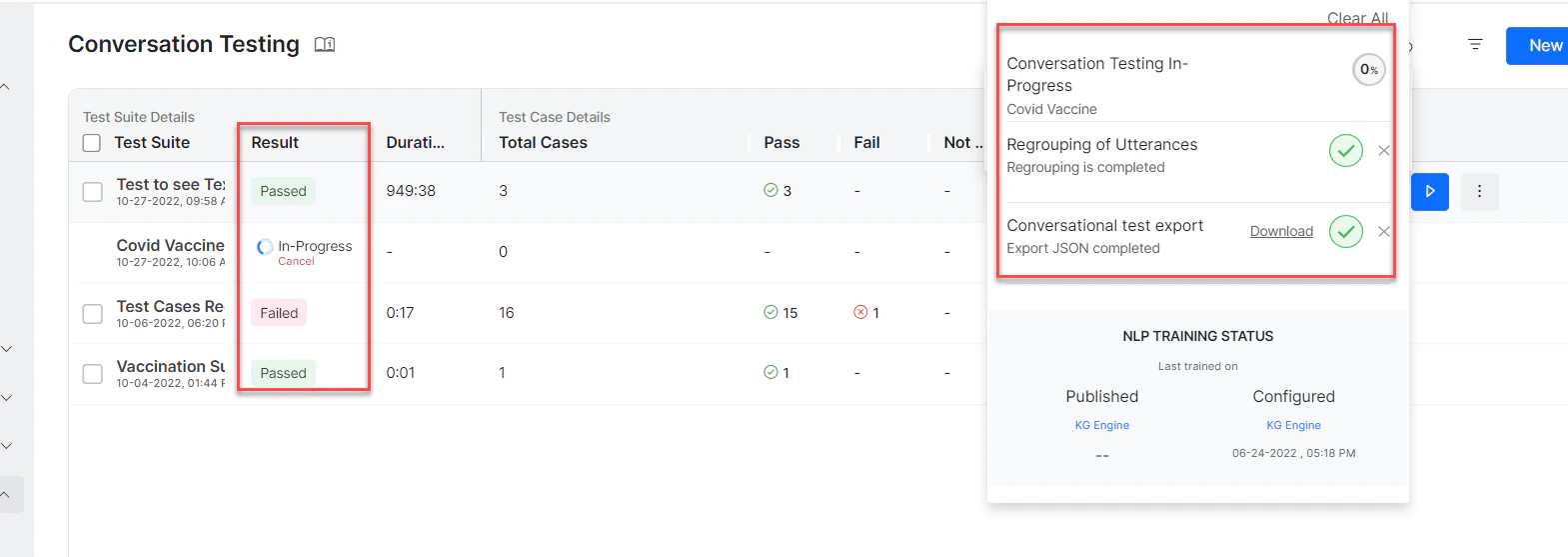
You can monitor the progress of the test suite in the Result column and the status docker. The Result column displays the Passed or Failed status upon successful execution.
Test Assertions Execution
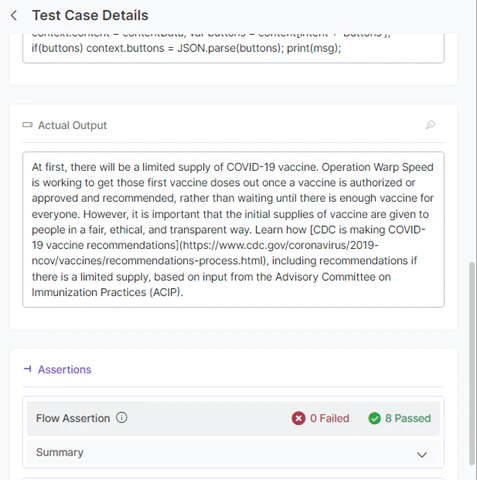
The platform performs the assertions tagged to each app response of a test case. For example, a app’s response can have Flow, Text, and Context Assertions tagged. The platform performs all three assertions to determine their assertion results.
Flow Assertion
-
For any app response in a test case, the assertion is determined as pass when the following conditions are true:
- The Intent ID of the Expected and Actual responses is the same.
- The Node ID of the Expected and Actual responses is the same.
- The Transition(s) of the Expected and Actual responses are the same.
- The Prompt type (Error or User Prompt) is the same in case of Entity nodes.
- If the above conditions are not met, the assertion is determined as Failed.
Text Assertion
-
For any app response in a test case, the assertion is determined as passed when the following condition is true:
- The expected and actual responses are the same (string comparison).
- Dynamic text values are not considered when performing the comparison.
- In case of multiple responses in the Expected Output (when a node has multiple variations), one of the expected responses must match for the assertion to pass.
Context Assertion
-
For any app response in a test case, the context assertion is determined as passed when the following conditions are true:
- The expected and actual values are the same for the added context variable.
- A app response has multiple context assertions and multiple context assertion results.
- A context assertion fails if the expected value and the actual value of the variable are not the same.
The test case result is determined as Pass only when all the assertions of all the app responses of the test case are passed.
Past Test Executions
The Past Executions tab is available on the Test Suite summary page, which displays the test result summary of all past executions. The details help in referring to test executions and understanding the results.
Result Summary
The following steps show how to access the test result summary and the details displayed.-
Click the Result Summary button to view the summary of all the executions.

-
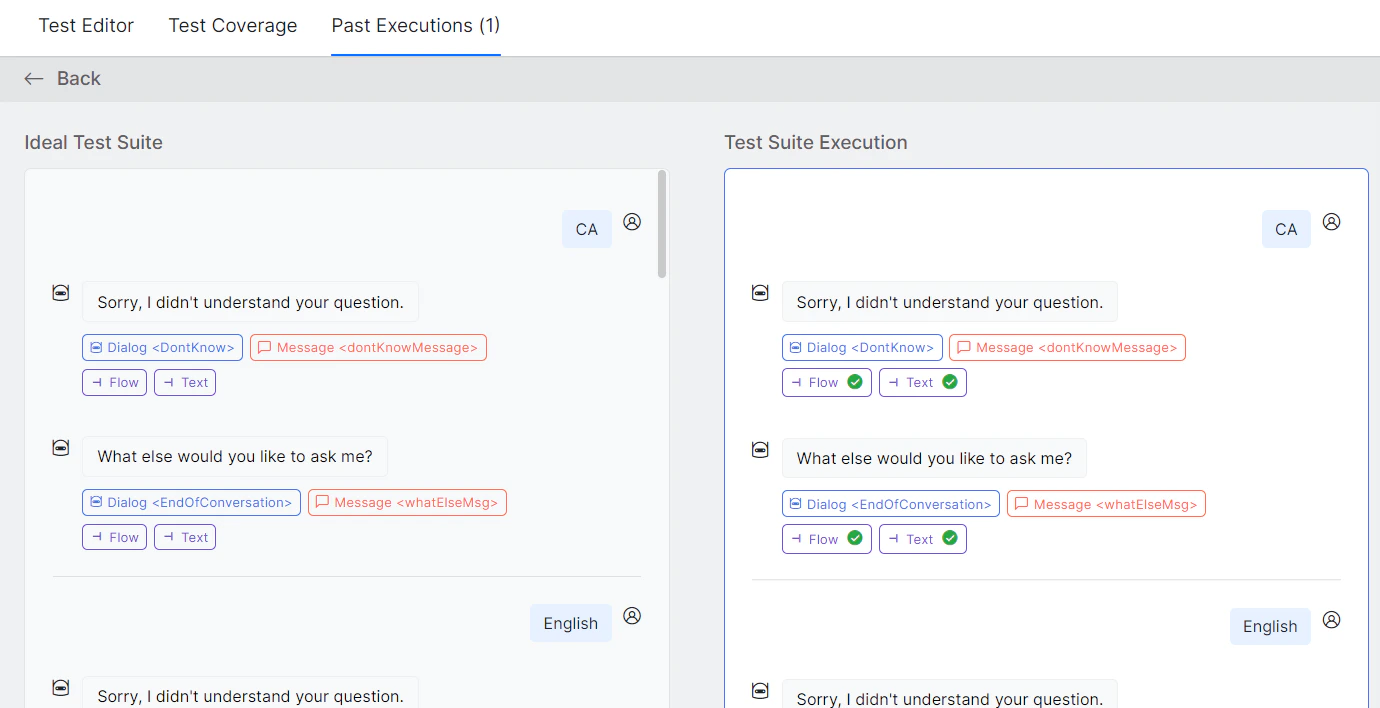
Two chat panels are displayed:
- Ideal Test Suite – It shows Test Cases with metadata and assertions from the test editor.
- Test Suite Execution – It shows Test results along with the metadata and assertion results identified during Test Execution.
-
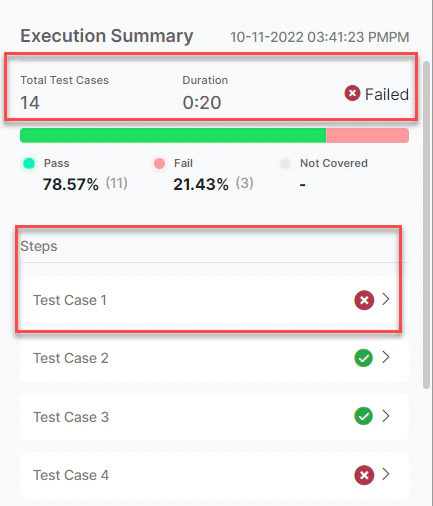
The test result summary is displayed with the following details:
- Total test cases
- Breakdown of Passes, Failed, and Not Executed test cases
- Duration of test case execution
- The status of the Test Suite – Passed or Failed
-
The test case details and their assertion result summary are also displayed.