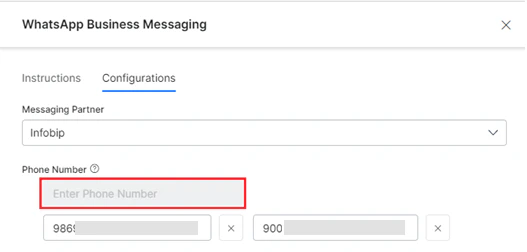
The user can add a maximum of 20 phone numbers to the list after which the Phone Number input field is disabled.
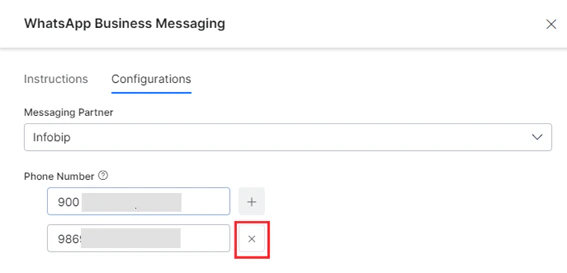
- The user can remove/delete a phone number from the configured list to stop receiving messages.
-
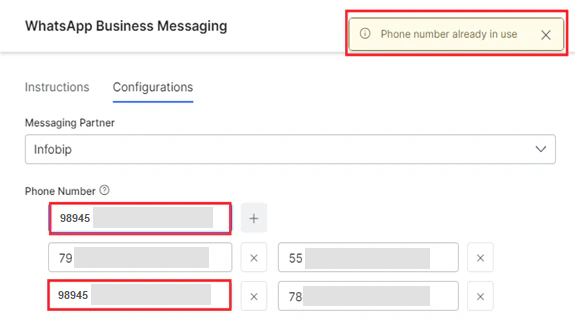
An alert message is displayed when you add a phone number that is already in use (configured on the Platform) as shown below:
Adding a Phone Number
To add a new phone number on the Kore.ai Platform to message via WhatsApp for Infobip, follow the steps below:- Navigate to Channels & Flows > Channels > Digital > All > WhatsApp Business Messaging > Configurations.
- Select Infobip from the Messaging Partner dropdown list.
- Click the Add icon for the Phone Number field.
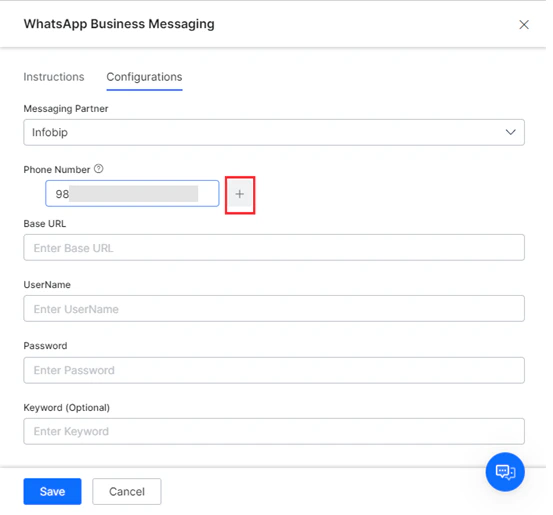
- Type a valid phone number and press enter to confirm.
- Click Save to complete the configuration.
- Follow steps 3 to 5 to add up to 20 phone numbers.
Deleting a Phone Number
To delete a phone number, click the Delete icon next to the phone number.