
| Aspect | Required | Description |
|---|---|---|
| Pre-hold Notification | Mandatory | Verifies that agents inform customers before placing them on hold |
| Hold Duration Compliance | Optional | Checks whether hold times stay within acceptable limits |
| Call Resumption Behavior | Optional | Evaluates how agents reconnect with customers after a hold |
Key Benefits
- Evaluate 100% of hold interactions automatically.
- Identify coaching opportunities and compliance gaps.
- Improve customer experience during hold scenarios.
- Maintain regulatory compliance across all agent conversations.
This metric is available for voice channel interactions only. One Hold Etiquette metric is allowed per evaluation form. Telephony integration is required to detect hold events accurately.
Create By Hold Etiquette Metric
- Navigate to Quality AI > Configure > Evaluation Forms > Evaluation Metrics.
- Select + New Evaluation Metric.
-
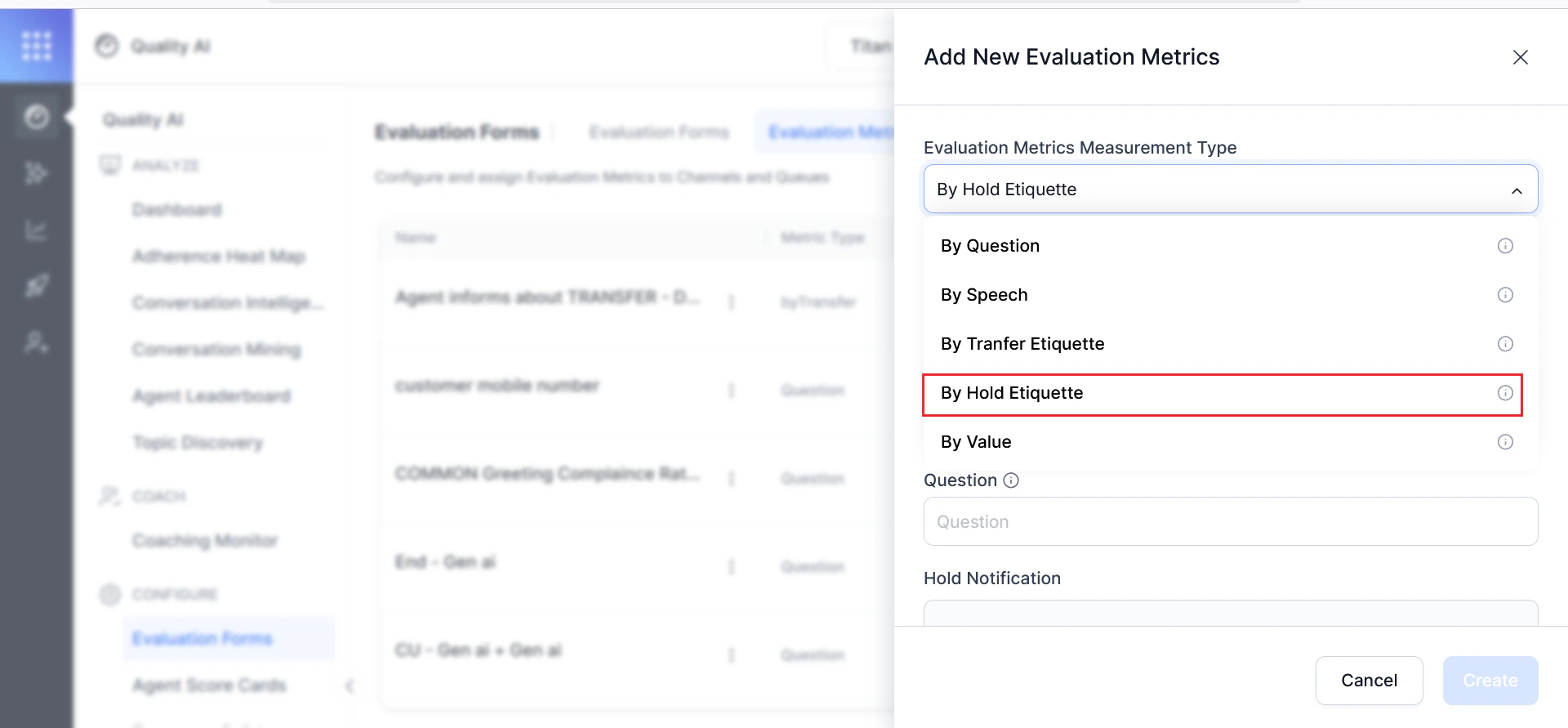
From the Evaluation Metrics Measurement Type dropdown, select By Hold Etiquette.
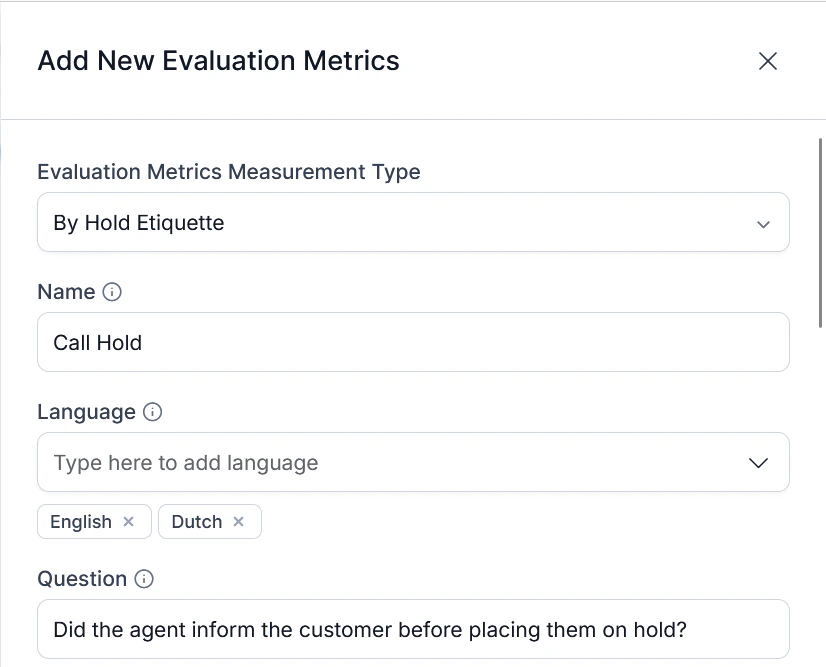
- Enter a descriptive metric Name (for example, “Holding Customer for a Long Time”).
- Select the applicable Languages for this metric. You must select at least one. Languages can be added or removed later.
-
Enter an evaluation Question describing what the metric measures (for example, “Did the agent inform the customer before placing them on hold?”).
-
Configure Hold Notification — verifies whether agents properly informed customers before placing them on hold.
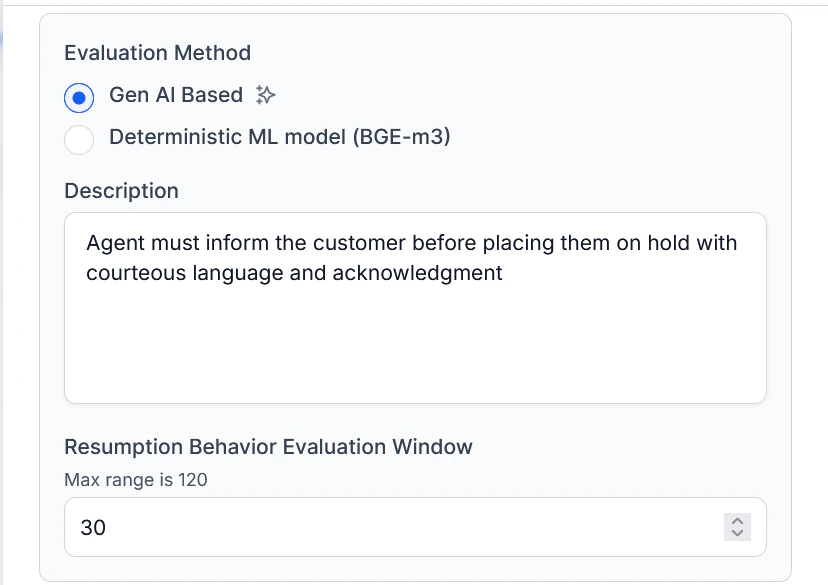
Select an Evaluation Method:
Gen AI-Based Method
Uses generative AI (LLM) to evaluate whether the agent’s speech meets defined etiquette criteria.- In Description, enter the expected behavior (for example, “The agent must inform the customer before placing them on hold using courteous language”).
-
Set the Resumption Behavior Evaluation Window — time period after a hold ends within which resumption behavior is assessed.
-
Configure Advanced Settings — define the detection window for hold notification:
Option Description Last utterance before hold initiation Evaluates only the final statement before the hold. Silences and dead air are excluded. Configured window before hold initiation Set a custom detection window (1–100 seconds) before the hold. Utterances within this window are valid for compliance. 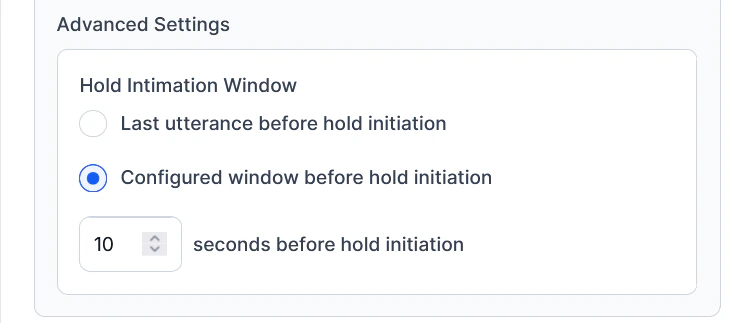
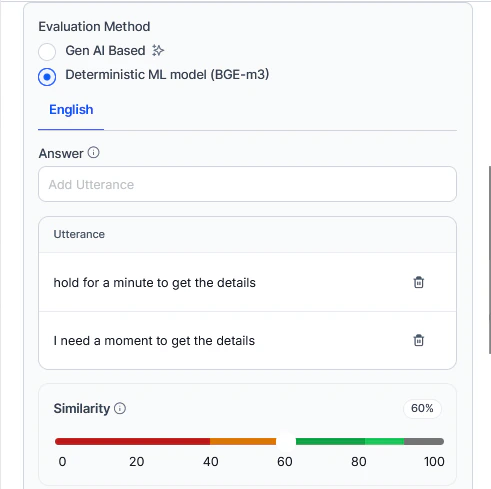
Deterministic ML Method
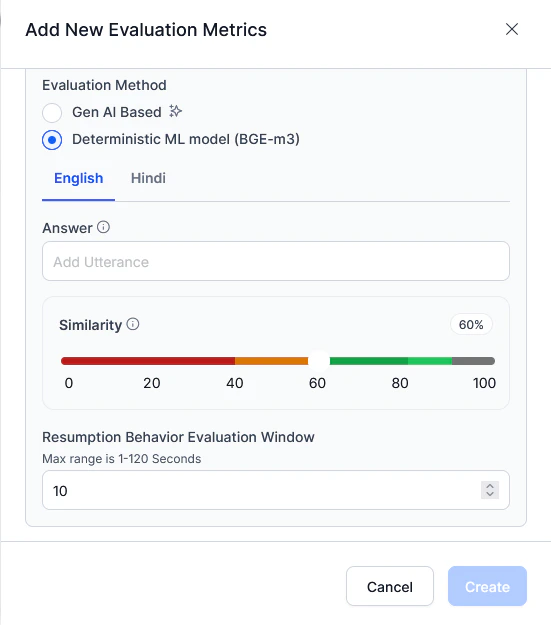
Uses BGE-m3 embeddings to compare agent utterances against sample phrases.This method uses BGE-m3 embeddings to compare agent utterances to sample phrases with configurable similarity thresholds.-
In Answer, add sample utterances (for example, “I need a moment to get the details. May I put you on hold?”).
- Add multiple utterances per configured language. Each language has its own set.
- Check/uncheck utterances to include or exclude them.
-
Set the Similarity threshold (0–100%, default 60%):
- Orange = below threshold (0–60%)
- Green = above threshold (60–100%)
-
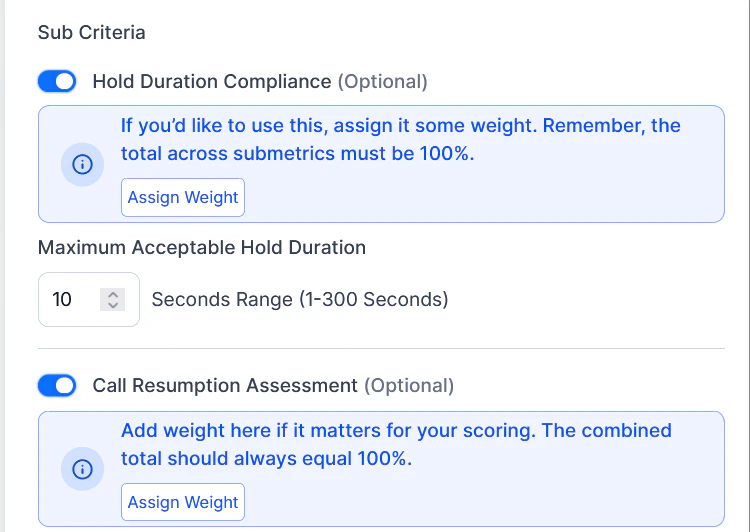
Configure Sub-Criteria (optional settings to assess hold-related behaviors):
Hold Duration Compliance:
- Toggle on to enable duration-based evaluation.
- Enter the Maximum Acceptable Hold Duration (1–300 seconds, default: 30 seconds).
- Toggle on to evaluate how effectively agents resume the conversation after a hold.
- Evaluates whether the agent acknowledges the delay, reconnects context, and proceeds smoothly.
-
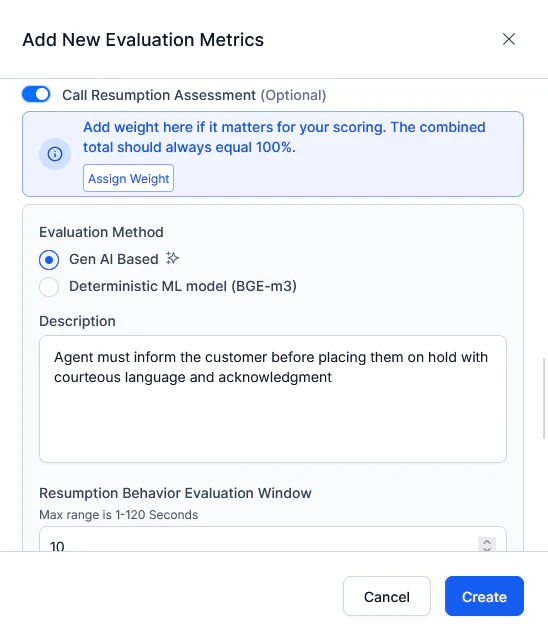
When Call Resumption Assessment is enabled, select an Evaluation Method:
Gen AI:
- In Description, define expected resumption behavior (for example, “Agent smoothly resumes the conversation, acknowledges the wait time, and proceeds with relevant information”).
-
Set the Resumption Behavior Evaluation Window (1–120 seconds, default: 10 seconds).
-
Assign Sub-Criteria Weightage — weights must total 100%:
Sub-Criterion Description Hold Notification Weight for courtesy and pre-hold notification compliance Hold Duration Weight for compliance with hold time limits Call Resumption Weight for smooth and contextual post-hold resumption 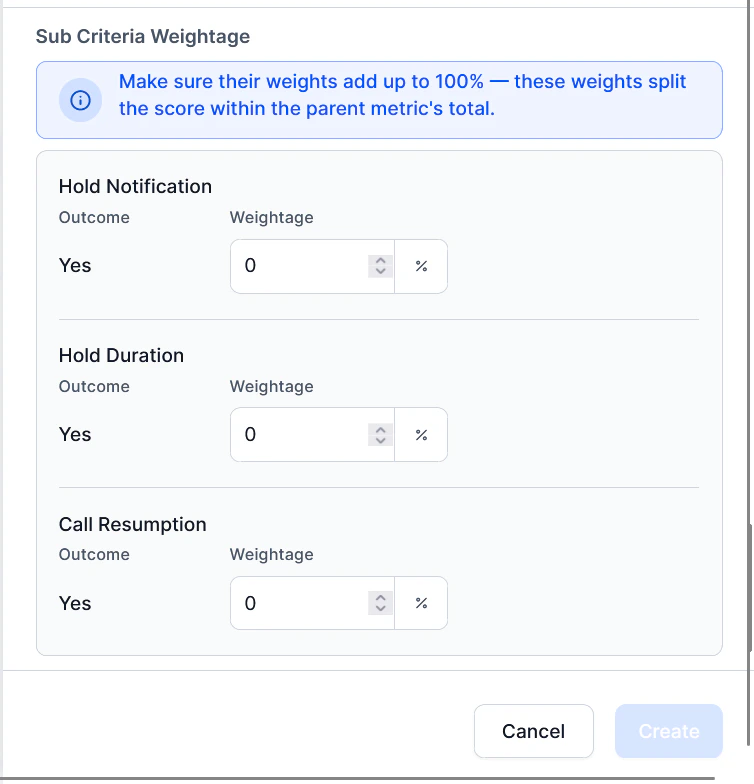
- Add sample utterances agents should use after resuming from hold.
- Set the Similarity threshold (0–100%).
-
Set the Resumption Behavior Evaluation Window (1–120 seconds, default: 10 seconds).
- Select Create.
The Create button stays disabled until all sub-criterion weights total exactly 100%. Once saved, this metric becomes active and appears in the Evaluation Metrics dashboard.
Scoring Logic
Sub-Criterion Weightage Example
| Sub-Criterion | Example Weight | Description |
|---|---|---|
| Hold Notification | 40% | Courtesy and pre-hold notification compliance |
| Hold Duration | 30% | Compliance with the maximum allowed hold time |
| Call Resumption | 30% | Smoothness and clarity of post-hold interaction |
Deterministic ML (Binary)
- Pass (1) — duration ≤ configured threshold or utterance matches sample
- Fail (0) — duration > threshold or no utterance match found