Key Benefits
| Benefit | Description |
|---|---|
| AI-powered intelligence | GenAI-based adherence reduces dependency on large training datasets |
| Comprehensive coverage | Six measurement types address diverse evaluation scenarios |
| Multilingual support | Enhanced support across languages and interactions |
| Automated QA | Reduces manual review workload through intelligent analysis |
| Real-time validation | API integration ensures data accuracy and compliance |
| Flexible configuration | Static and dynamic evaluation options |
Access Evaluation Metrics
Navigate to Quality AI > CONFIGURE > Evaluation Forms > Evaluation Metrics.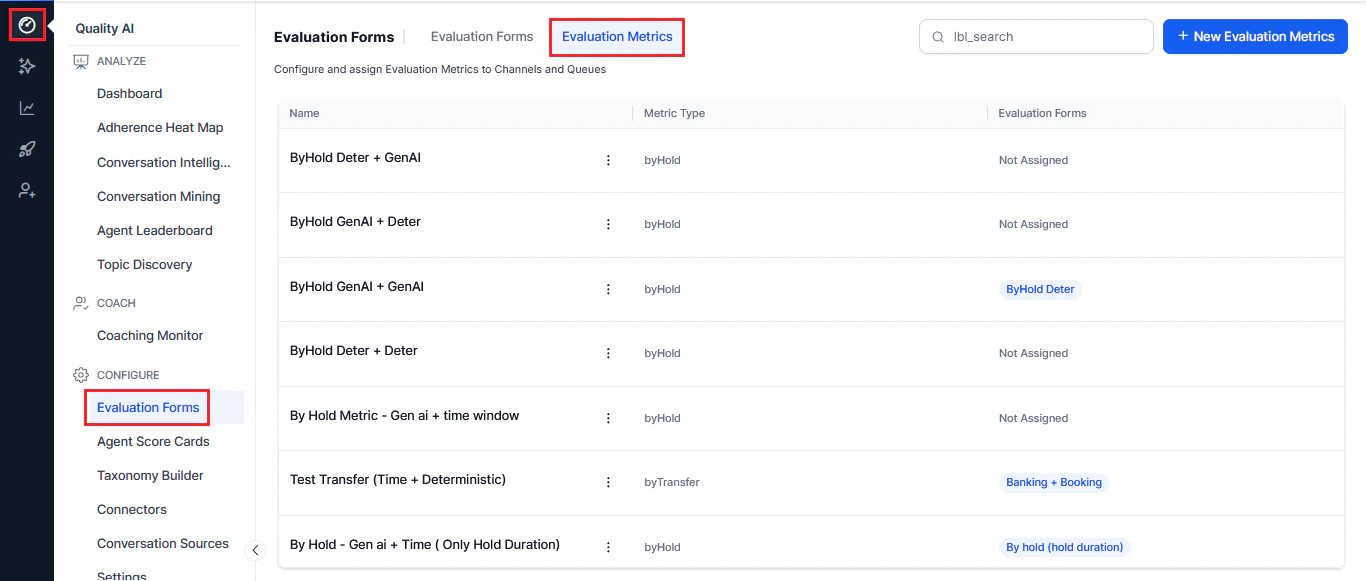
| Column | Description |
|---|---|
| Name | Metric name |
| Metric Type | Measurement type |
| Evaluation Forms | Associated evaluation forms |
| Ellipsis icon (⋮) | Edit and delete options |
| Search | Quick search to find metrics |
| New Evaluation Metrics | Button to create new metrics |
Create a New Evaluation Metric
- Select the Evaluation Metrics tab.
- Select + New Evaluation Metric.
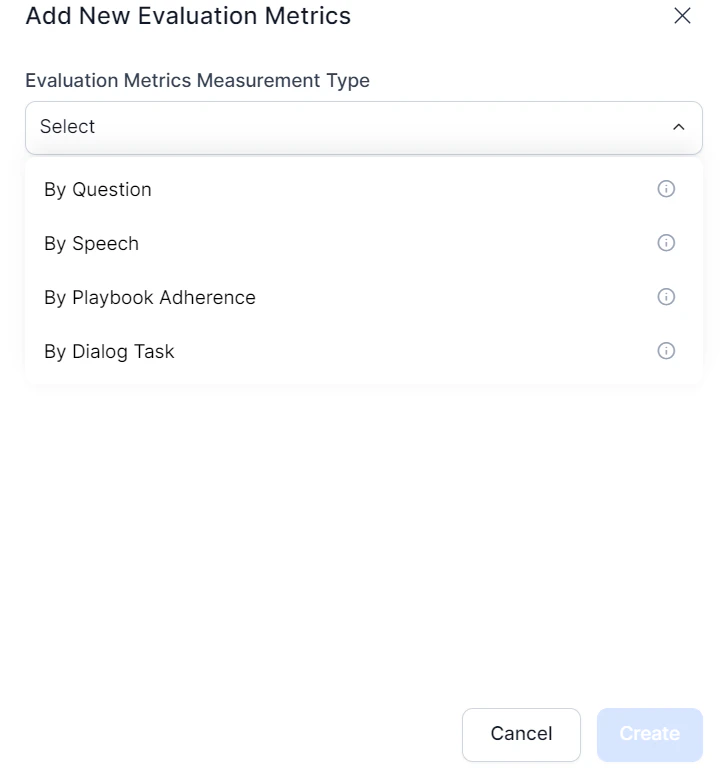
- Choose and configure your measurement type.
Key Configuration Options
| Option | Description |
|---|---|
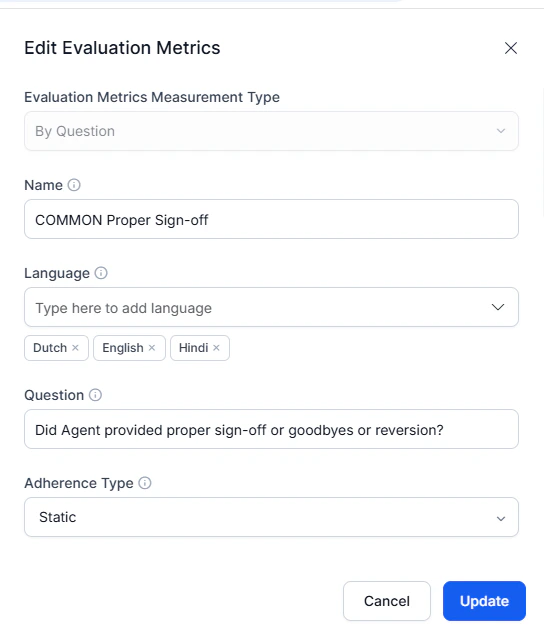
| Metric name | Descriptive identifier for future reference |
| Language | Multi-language support configuration |
| Evaluation question | Reference prompt for audits and interaction reviews |
| Adherence type | Static (universal) or Dynamic (trigger-based) detection |
Detection Methods
| Feature | GenAI-Based | Deterministic |
|---|---|---|
| Mechanism | LLM contextual understanding | Semantic similarity matching |
| Training | Zero-shot prompts | Sample utterance training |
| Flexibility | High contextual adaptation | Precise pattern recognition |
| Setup | Description-based | Utterance-based |
Measurement Types
By Question
Evaluates adherence to specific questions asked or answered during interactions. Key features:- Static Adherence — applies to all conversations
- Dynamic Adherence — conditional evaluation triggered by specific events
- GenAI Detection — contextual understanding with no training samples required
- Deterministic Detection — semantic matching against predefined patterns
- Flexible thresholds — set different similarity scores per use case
By Speech
Analyzes speech characteristics during voice interactions. Key features:- Crosstalk — detects overlapping speech with configurable thresholds
- Dead Air — monitors silence periods (configurable duration)
- Speaking Rate — tracks Words Per Minute (WPM)
By Value
Verifies customer-specific information shared by an agent against trusted data sources. Key features:- API integration — real-time verification with CRM and external systems
- Business rules engine — five rule types (first/last value, negotiated, strict matching, custom)
- Compliance tracking — detects deviations from expected values
- Audit trails — logs validation results for supervisory review
By Dialog Task
Assesses completion and quality of specific tasks or workflows within a conversation. Key features:- Dialog agent selection — choose which dialog agent to evaluate
- Evaluation scope — entire conversation or time-bound segment
- Time parameters — configurable in seconds (voice) or message count (chat)
By Playbook Adherence
Measures how well interactions follow predefined playbooks or procedures. Key features:- Entire Playbook — assesses adherence across all playbook components
- Specific Steps — targets evaluation at specific stages or steps
- Percentage thresholds — define minimum adherence levels required
By AI Agent
Uses AI Agents for sophisticated, multi-step evaluations with autonomous decision-making. Key features:- Complex analysis — multi-step reasoning across conversation elements
- Domain expertise — supports specialized evaluation contexts (compliance, technical support)
- Contextual understanding — nuanced evaluation requiring full conversation context
- Advanced decision-making — goes beyond pattern matching for judgment calls
Edit or Delete Evaluation Metrics
- Search for and select the metric.
- Select the three-dot menu (⋮) next to the metric name.
- Select Edit to modify or Delete to remove.
- For percentage-based metrics, adjust weights so they total 100%.
- Select Update to save changes.