
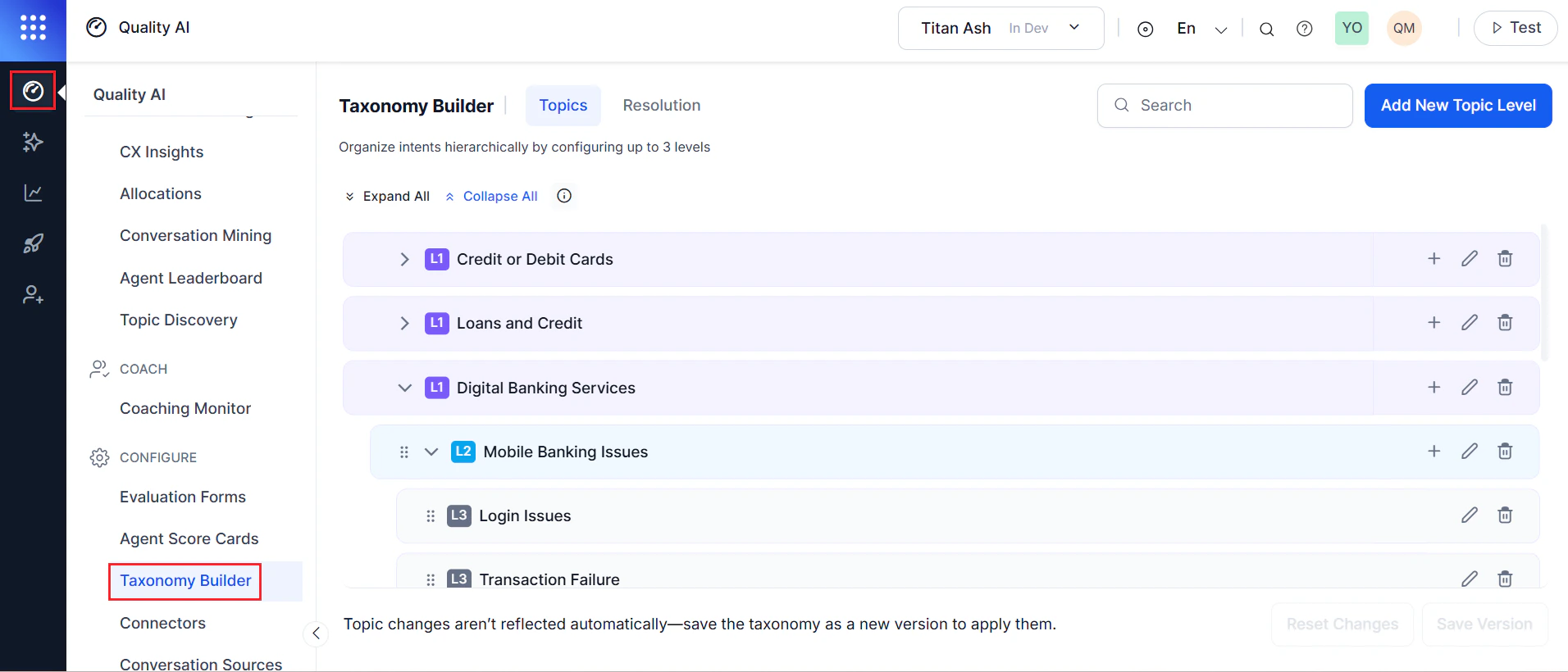
Why Taxonomy Builder?
Traditional conversation analytics face challenges that affect day-to-day operations:| Challenge | Impact |
|---|---|
| Inconsistent labeling | The same customer issue appears under multiple labels (for example, “card termination,” “account closure,” “service cancellation”), making trend analysis unreliable |
| Generic topics | Broad AI-generated labels like “payment issue” or “service inquiry” don’t provide enough specificity for routing and resolution |
| Flat structure | Real business operations are hierarchical; flat topic lists make analysis at different strategic levels difficult |
- Define custom topic hierarchies that mirror your business structure.
- Ensure consistent labeling across all conversations.
- Analyze topics at strategic (L1), tactical (L2/Standalone L2), and operational (L3) levels.
- Track resolution rates and sentiment for specific customer contact reasons.
- Visualize topic performance through color-coded indicators.
Three-Level Hierarchy
| Level | Name | Color | Description |
|---|---|---|---|
| L1 | Strategic Business Classification | Purple | Broad business areas — major divisions, lines of business, or service areas aligned with executive strategy |
| L2 | Product and Service Categories | Blue | Specific product categories, service types, or operational areas under an L1 topic |
| Standalone L2 | Product and Service Categories | Blue | An L2 topic with no L1 parent — for categories that require independent tracking |
| L3 | Customer Contact Reasons | Grey | Specific reasons for customer contact — granular issues that drive daily agent activity |
Advanced Features
Visual Hierarchy
The interface uses color-coded levels and progressive indentation to distinguish L1, L2, and L3 topics, making the structure visible at a glance.Interactive Guidance
Hover over the information icon (ⓘ) to view:- Allowed topic movements between hierarchy levels
- Restricted operations that preserve taxonomy integrity
- Parent-child relationship rules
- Impact of restructuring on the hierarchy
Contextual Parent Assignment
When you add topics from existing nodes, the system preselects the correct parent context automatically, streamlining topic creation.Intelligent Topic Detection
The system uses large language models (LLMs) with custom topic names and detailed descriptions to classify conversations accurately. Write clear descriptions to help the model identify which customer statements belong to each topic.Topic-Level Resolution (L3)
For Level 3 topics, you can enable resolution tracking to determine whether each customer issue was resolved during the conversation. The system classifies each issue as Successful, Unsuccessful, or Overall Resolution, with customizable criteria per topic.Resolution Methods
Topic-Based Resolution (Strict):- Marks a contact as resolved only when all L3 topics in the conversation are resolved.
- Use when all issues must be resolved, including minor ones.
- Example: A customer calls about a payment issue and mentions a rewards question. If the payment is resolved but the rewards question is not, the contact is marked unresolved.
- LLM evaluates contact resolution independently of individual topic outcomes.
- Marks a contact as resolved if the customer’s primary concern is addressed, even if minor issues remain.
- Use when secondary issues should not affect resolution metrics.
- Example: The customer’s payment issue is resolved, but a casual rewards question is not — the contact is still marked resolved.
Hierarchical Sentiment Analysis
Customer sentiment is captured at the L3 level and automatically rolled up through the hierarchy. The Topic Discovery dashboard shows color-coded sentiment bubbles:| Color | Sentiment |
|---|---|
| Green | Positive |
| Grey | Neutral |
| Red | Poor/Negative |
Flexible Structure
Not all organizations need a full three-level hierarchy. You can create standalone L2 topics with L3 subtopics when your business does not require an L1 strategic layer.System Architecture
Version Management
All taxonomy changes exist as drafts until you explicitly create and deploy a new version. This prevents accidental disruptions to ongoing analysis and gives you full control over when changes take effect.Security and Permissions
| Role | Access |
|---|---|
| Full Conversation Intelligence permissions | Configure and modify taxonomies |
| View-only permissions | View configured taxonomies, no edits |
| No permissions | No access to Taxonomy Builder |
Business Impact
A taxonomy aligned with your organizational reality turns every conversation into a precise data point for decision-making:- Quality Teams — deliver targeted coaching based on specific interaction types.
- Operations Managers — identify emerging issues early and respond at the right level of detail.
- Customer Experience Leaders — track sentiment trends at the touchpoints that matter most.