
File Format
Each JSON file must be an array of objects, where each object represents a single chunk. Key requirements:- The file name is used as the
recordTitle. - The JSON structure must be an array of objects.
- Each object’s keys must match the supported chunk fields listed in the table below.
| Field | Description | Mandatory |
|---|---|---|
chunkText | Content used to render the final answer for extractive responses and sent to the LLM for generative answers | Yes |
recordUrl | URL used to generate user references — indicates where the content was originally sourced | Yes |
sourceACL | List of user identities that have access to this chunk | No |
sourceUrl | URL of the primary source (e.g., www.example.org). If empty, defaults to the value of recordUrl | No |
chunkMeta | Metadata associated with the chunk, used for further processing or embedding generation | No |
chunkTitle | Title used to render the final answer for extractive responses and sent to the LLM for generative answers | No |
cfa1 | Custom array field available for use based on your requirements | No |
cfa2 | Custom array field available for use based on your requirements | No |
cfa3 | Custom array field available for use based on your requirements | No |
cfa4 | Custom array field available for use based on your requirements | No |
cfa5 | Custom array field available for use based on your requirements | No |
cfs1 | Custom string field available for use based on your requirements | No |
cfs2 | Custom string field available for use based on your requirements | No |
cfs3 | Custom string field available for use based on your requirements | No |
cfs4 | Custom string field available for use based on your requirements | No |
cfs5 | Custom string field available for use based on your requirements | No |
Configuration Steps
-
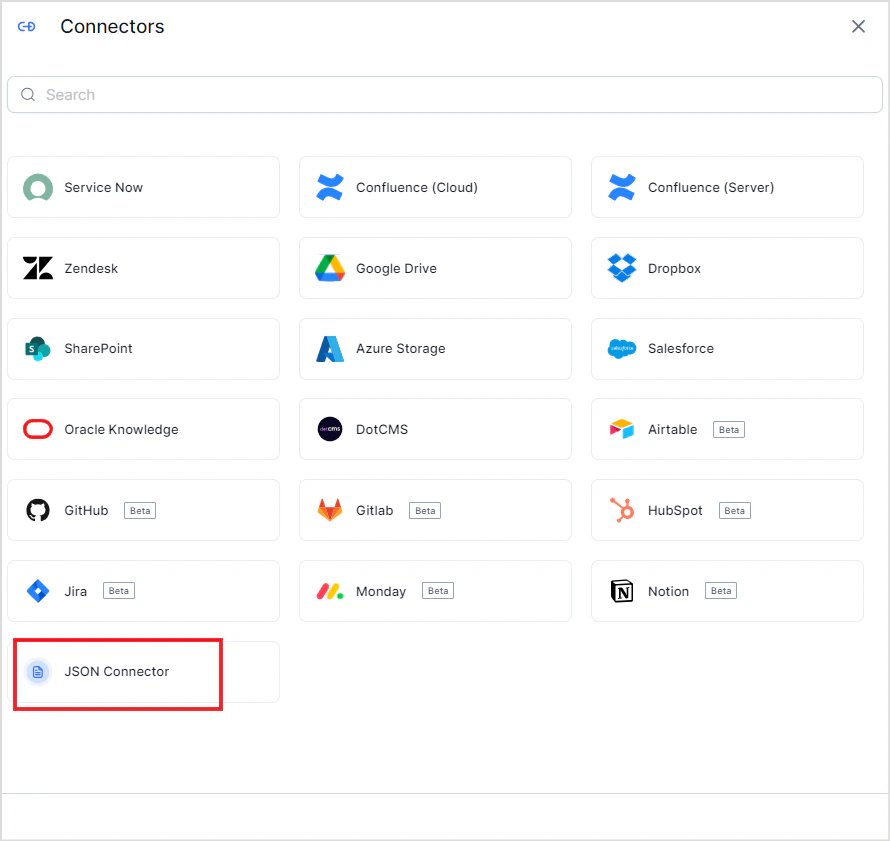
Go to Content > Connectors and add the JSON Connector.
-
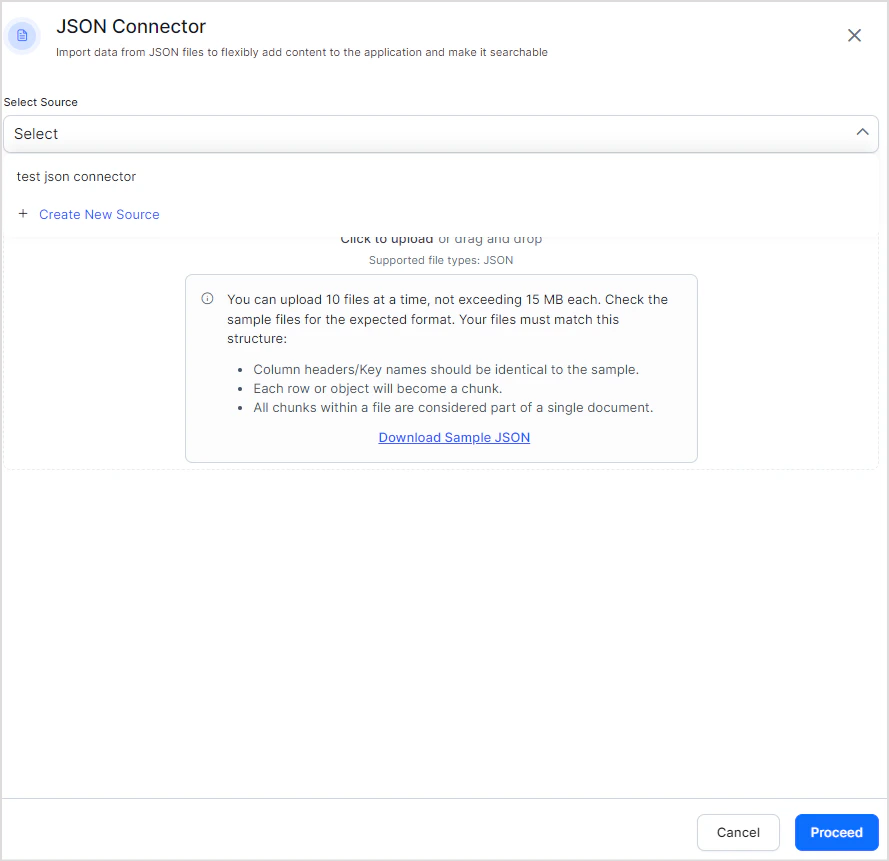
Select the source name to upload the JSON content to. If no source exists, create a new one. Upload the JSON file with your structured data.
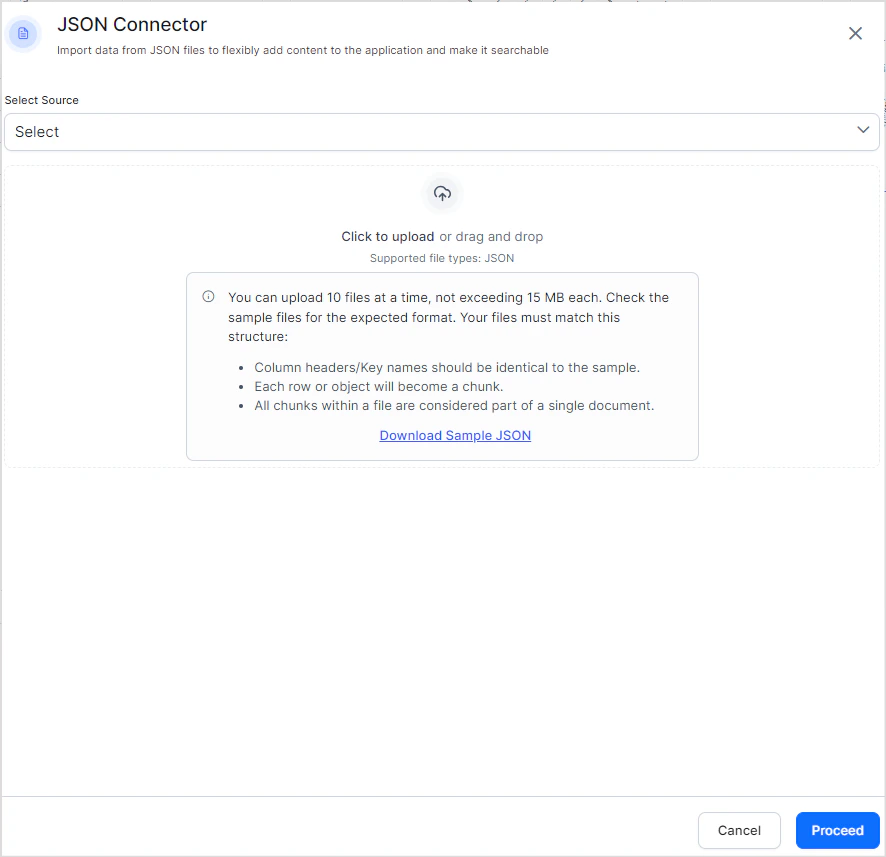
- Click Proceed. Search AI ingests the content from the uploaded files immediately.
-
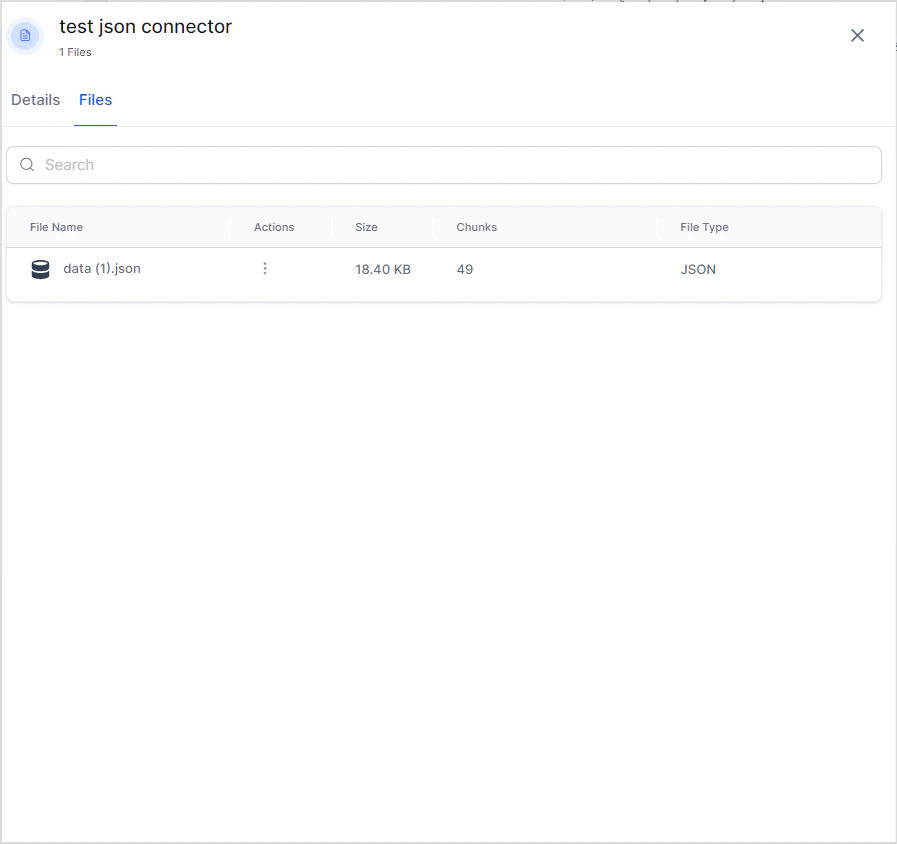
Click the Files tab to view the contents of the connector at any time.
- Up to 10 files per upload
- Maximum 15 MB per file
- The file name is used as the
recordTitle