
| Specification | Details |
|---|---|
| Repository type | Cloud |
| Supported content | Knowledge Articles |
| RACL support | No |
Prerequisites
Search AI accesses the Oracle Knowledge Base using REST APIs. You need two types of user credentials:- API User — Accesses the required REST API resources.
- Console User — Used for console-level authorization.
- REST Server URL
- API User credentials (username and password)
- Console User credentials (username and password)
Configure the Oracle Knowledge Connector
Go to the Connectors page, select Oracle Knowledge, and enter the following details on the Configuration page. Click Connect when done.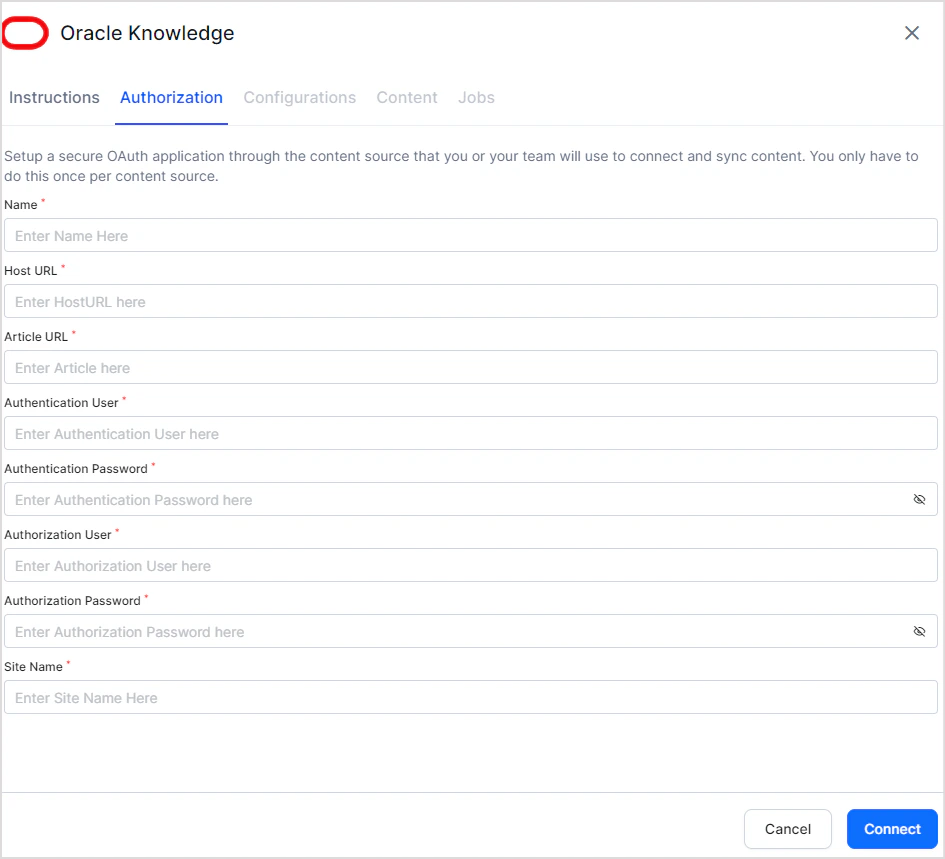
| Field | Description |
|---|---|
| Name | Unique name for the connector in Search AI |
| Host URL | URL of your Oracle B2C Service Knowledge Advanced server |
| Article URL | URL where knowledge articles are hosted (used for article links in search results) |
| Authentication User | Username for the API user |
| Authentication Password | Password for the API user |
| Authorization User | Username for the Console user |
| Authorization Password | Password for the Console user |
| Site Name | Name of the site from which you are accessing the APIs |