
| Specification | Details |
|---|---|
| Repository type | Cloud |
| Supported content | Pages, Posts |
| RACL support | Yes |
| Content filtering | No |
Authorization Support
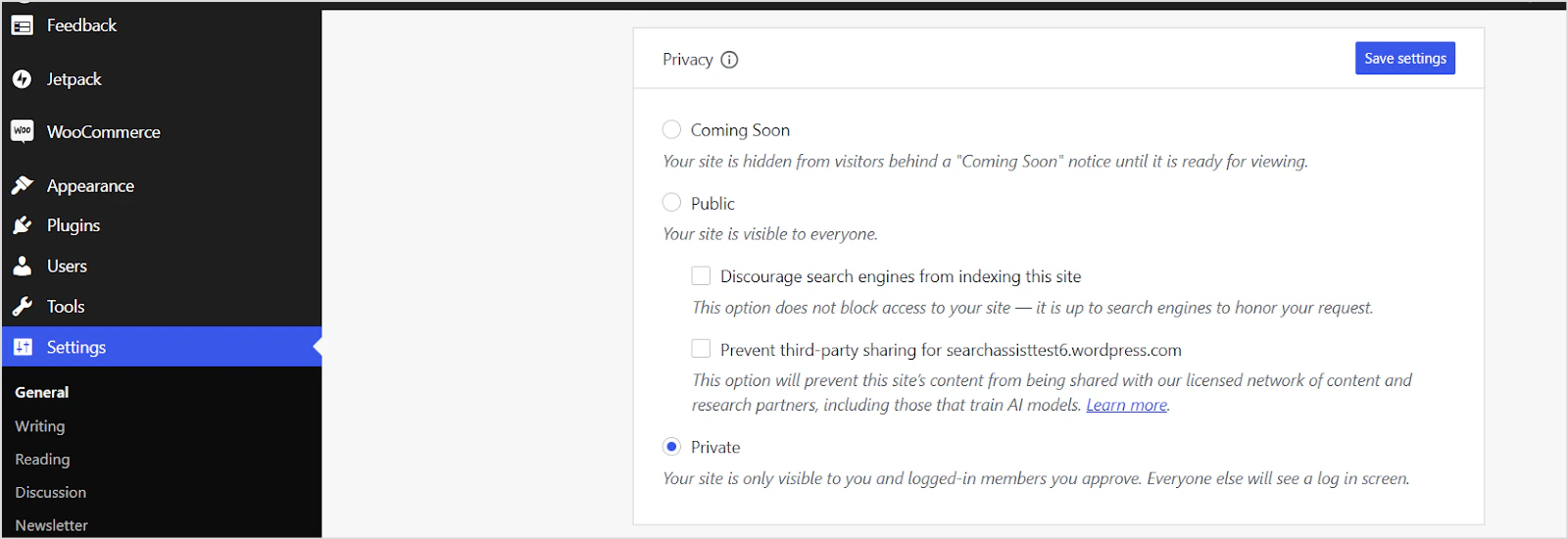
Search AI supports ingestion from both public and private WordPress sites. For private sites, WordPress uses OAuth 2.0 authorization code grant type. See the WordPress OAuth documentation for details.Generating OAuth Client Credentials in WordPress
- Go to the WordPress developer page.
-
Click Create New Application. Enter the following details.
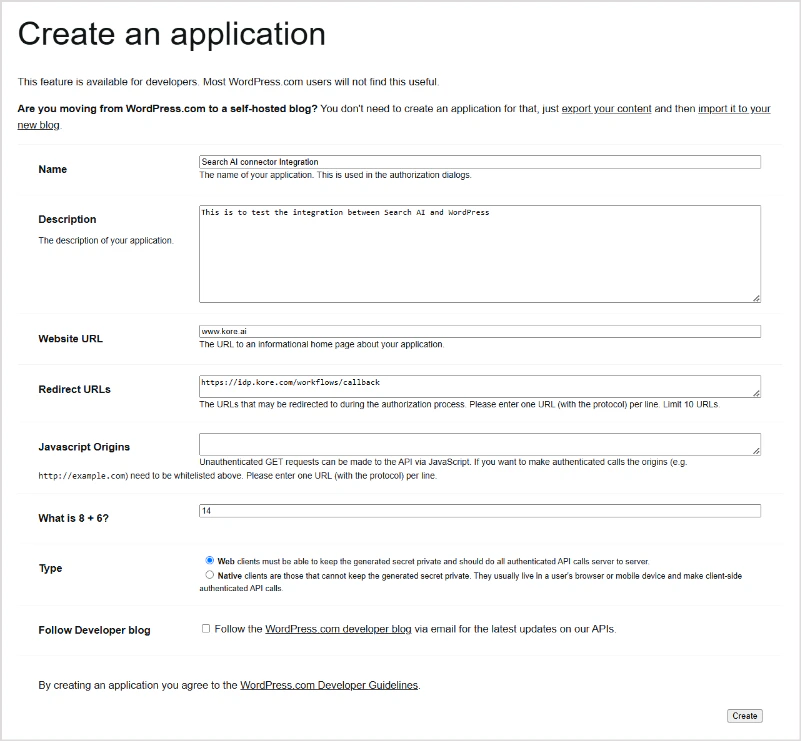
- Name: A name for the client (for example, My App).
- Redirect URLs: The callback URL for authorization responses. Use the URL for your region or deployment:
- JP Region:
https://jp-bots-idp.kore.ai/workflows/callback - DE Region:
https://de-bots-idp.kore.ai/workflows/callback - Prod:
https://idp.kore.com/workflows/callback
- JP Region:
- Click Create to generate client credentials.
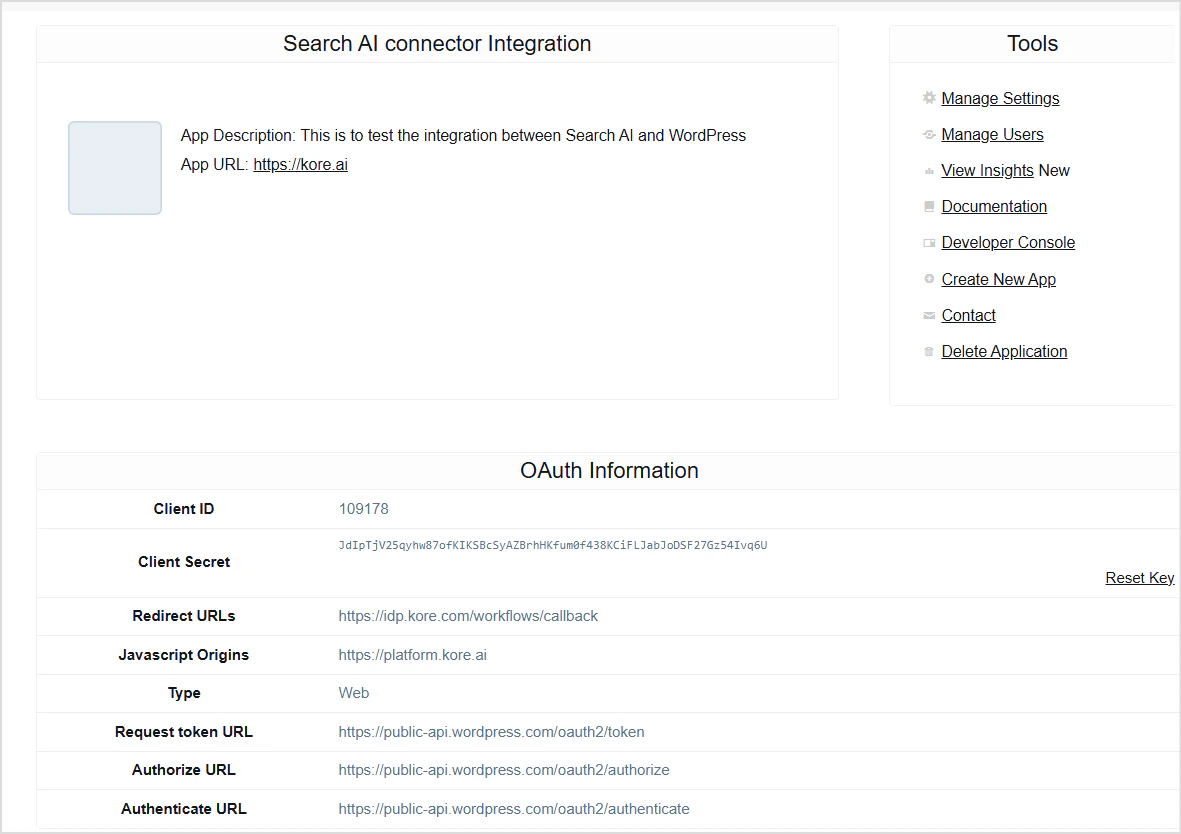
- Copy and securely store the Client ID and Client Secret displayed on the next page. You will need these to configure the connector.
Configuring the WordPress Connector in Search AI
- Go to Content > Connectors and select the WordPress Connector.
-
Enter the following details:
Field Description Name Unique name for the connector Authorization Type Set to Public for publicly accessible sites; set to OAuth 2.0 for private sites Client Credentials Required only for OAuth 2.0 — provide the Client ID and Client Secret from WordPress Site URL URL of the WordPress site to ingest content from - Click Connect. Once authenticated, the connector is ready to ingest pages and posts.
Content Synchronization
Go to the Configuration tab and click Sync Now to ingest all accessible pages and posts immediately. Use Schedule Sync to set up recurring synchronization.Permissions and Access Control
- Public sites are accessible to all Search AI users.
- Private sites configured with Public Access in Search AI are accessible to all Search AI users, regardless of WordPress permissions.
- Private sites configured with Permission Aware access are accessible only to Search AI users who have access to the site in WordPress.
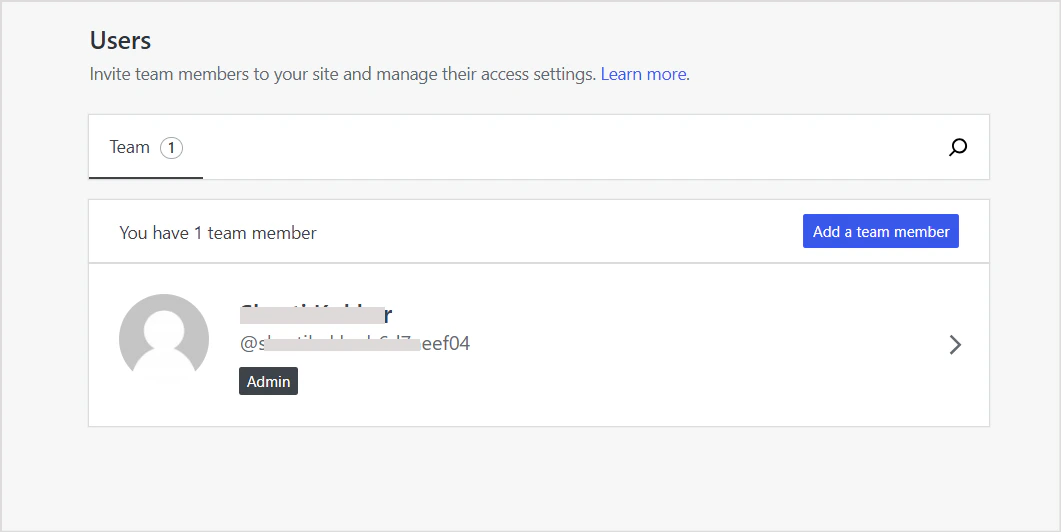
sys_racl field is set to *. For private sites, the sys_racl field contains the identity information of team members added to the WordPress site. To view team members, go to the Users page on the site’s dashboard.
Points to Note
- Comments and author information, if available for a page or post, are included as metadata fields in the ingested content and are also added to the chunk text.