
User: What is the cost of an Economy flight from London to Paris on Aug 15? AI Agent: It’s €242. User: Great! I’d like to book it.The AI Agent should already know the flight details from the previous intent — no need to ask again.
Use Cases
| Scenario | Description |
|---|---|
| Sharing context across intents and FAQs | Context is maintained across dialog tasks and FAQs, enabling a consistent experience. |
| Context-driven FAQs | A FAQ is available only when a specific intent is already in context. For example, What meal options are available? shows only when Book a Flight is active. |
| Follow-up intent detection | The current context helps identify the next intent. For example, What are the extra charges? resolves to What are the charges for a Premium Economy seat? if the user just asked about Premium Economy benefits. |
| Sharing entity values | Entity values from one intent pre-populate entities in another. For example, Destination City from Check Flight Status pre-fills City Name in Check Weather. |
Implementation
Context management involves four steps:- Output Context — Define tags that mark the current intent as executed.
- Intent Preconditions — Use output context tags to scope which intents are detected next.
- Contextual Intent Detection — Use context tags to identify relevant intents and FAQ paths.
- Conversation Flows — Customize flows using context tags to pre-populate entities or define transitions.
Output Context
Context Tags are generated and stored in the context object. The Platform creates a context object for every user intent (dialog tasks and FAQs). Learn more Default context tags — Intent names, entity names, and FAQ term/node names are emitted automatically. Custom context tags — You can define additional tags for the following:Dialog Tasks
- The intent name is emitted as a context tag when execution starts.
- Add extra tags from the NLP Properties tab of the dialog task.
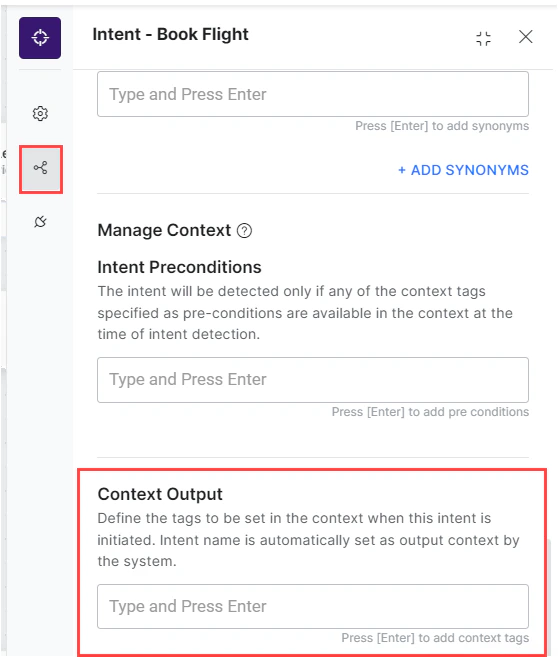
- Emit tags from any JavaScript location (script node, advanced prompts, run-a-script) using
contextTags.add("value").
Alert Tasks
- The task name is emitted as a context tag when execution starts.
- Add extra tags under More Options or General Settings.
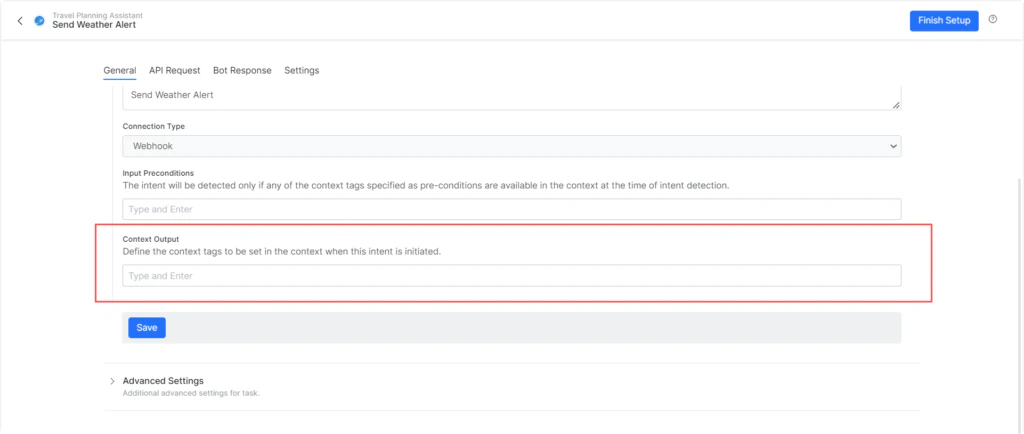
- Emit tags from pre-processors or post-processors using
contextTags.add("value").
Entities
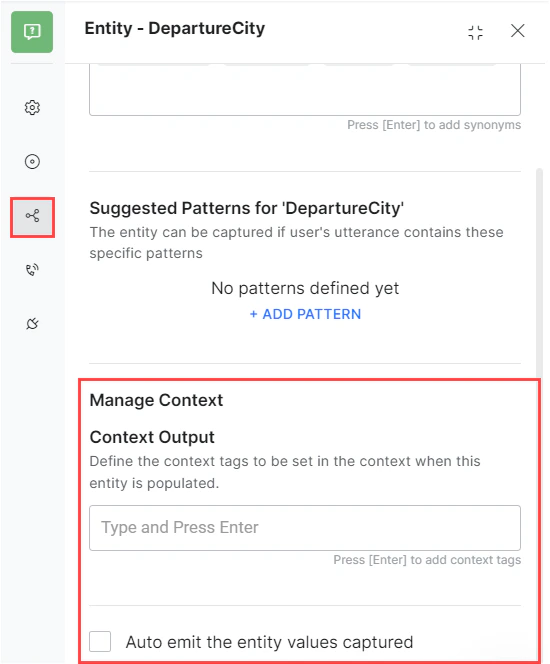
- Entity values are emitted based on the Auto emit the entity values captured toggle.
- Add extra tags per entity node.
Knowledge Graph
- Node and term names are emitted as context tags for all mandatory and optional terms in a qualified path.
- Add extra tags per term from the term’s Settings page.
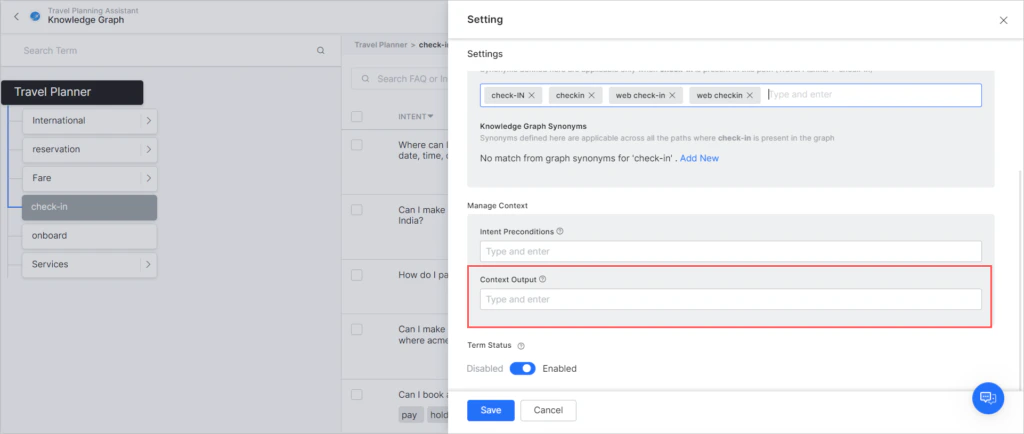
- Emit tags from advanced prompts using
contextTags.add("value").
Intent Preconditions
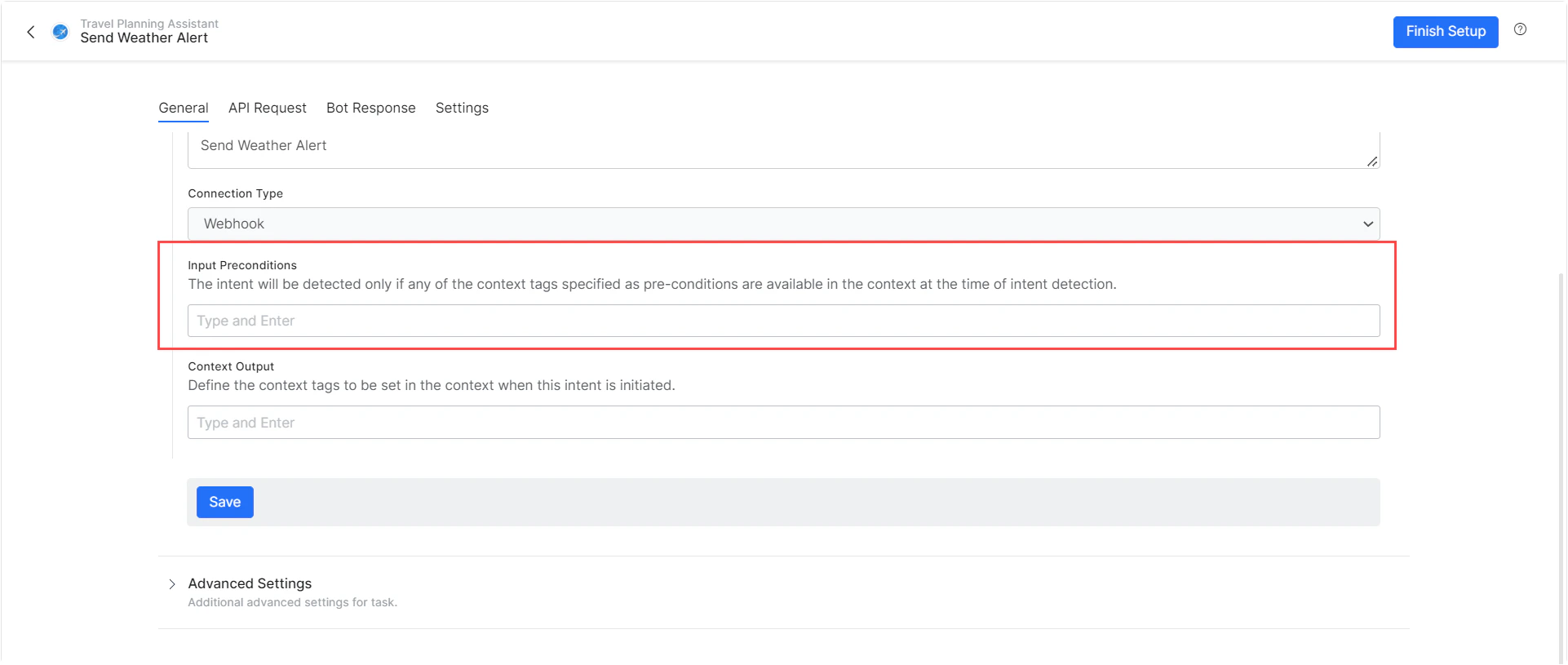
Intent preconditions define when an intent or FAQ becomes available for detection — only when specific context tags are present.Dialog Tasks
- Add one or more preconditions to make a dialog intent available only in the right context.
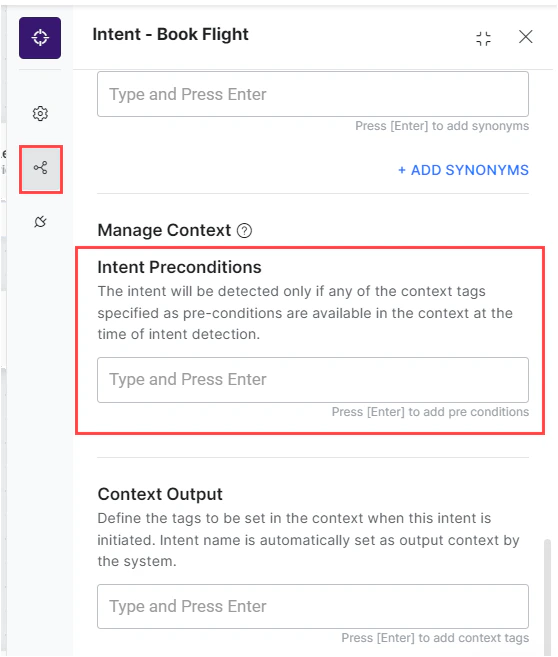
- Intents with preconditions are treated as sub-intents and follow Linked Task Exception behavior.
Alert Tasks
- Add one or more preconditions to make a task available only in the right context.
Knowledge Graph
- Define preconditions per term in the Knowledge Graph.

- A path is qualified only if its term preconditions are met.
Contextual Intent Detection
Tasks
Define rules for contextually relevant intent detection using output context tags (similar to traits). Learn moreKnowledge Graph
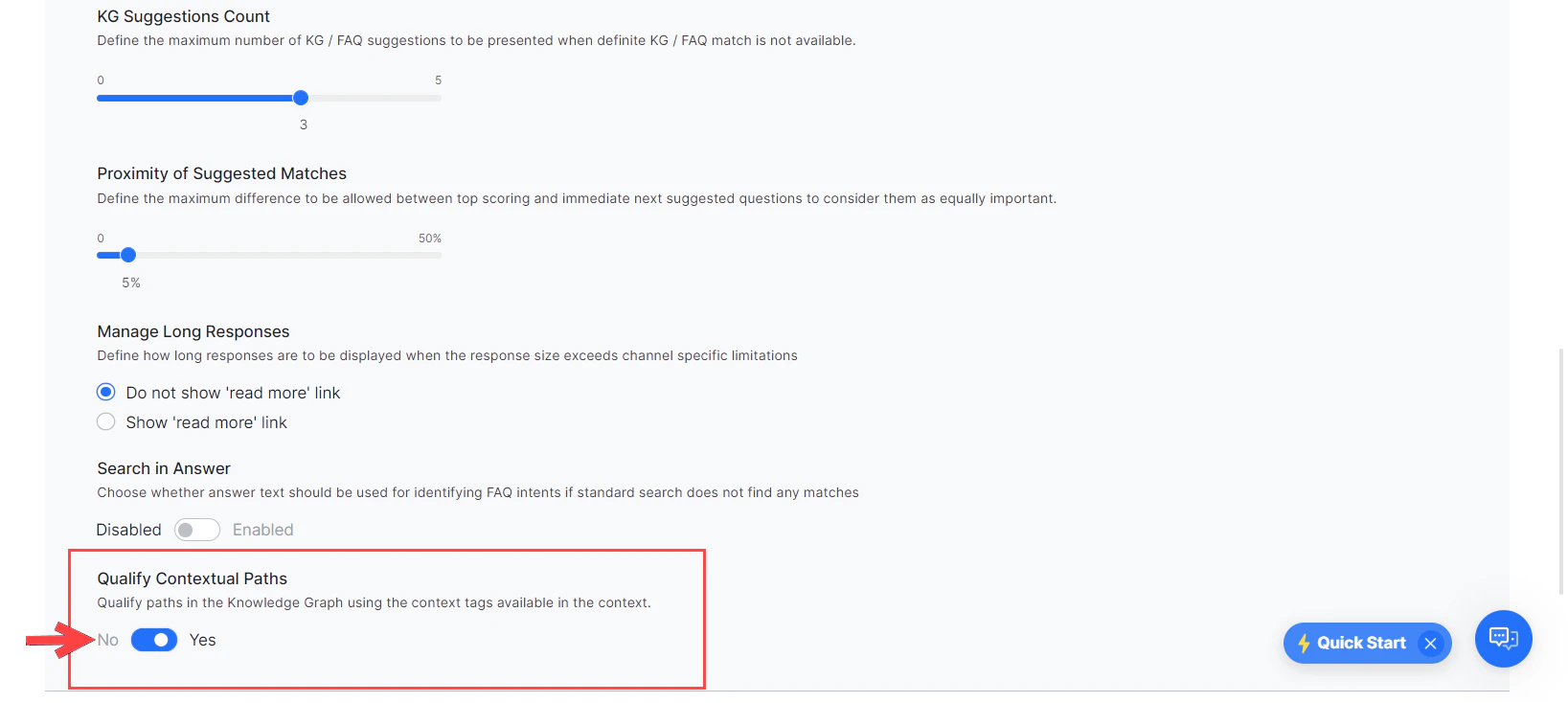
Enable context tags to qualify paths in the Knowledge Graph:- Go to Build > Natural Language > NLU Config > Knowledge Graph.
- Set Qualify Contextual Paths to Yes.
Conversation Flows
Use context tags to customize dialog flows:- Pre-populate entity values.
- Define transition conditions.
- Build custom conversation flows.
| Context | Script |
|---|---|
| Current context tags | context.currentTags.tags |
| Previous context tags | context.historicTags[0].tags |