
Interruptions Hierarchy
| Level | Precedence | Where to Configure |
|---|---|---|
| Node | Highest | Node Instance tab > Advanced Controls > Interruptions Behavior |
| Dialog Task | Middle | Dialog Builder > more options icon > Manage Interruptions |
| App | Lowest (default) | Conversation Intelligence > Conversation Management > Manage Interruptions |
If no node or task-level settings exist, the app-level settings apply.
App-Level Interruption Settings
Go to Conversation Intelligence > Conversation Management > Manage Interruptions.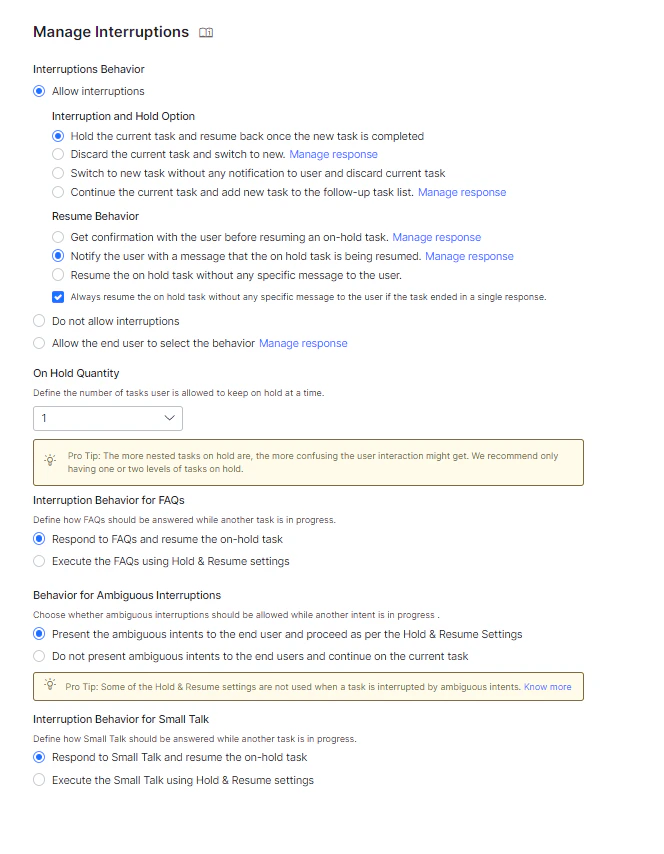
Note: When a user provides input after 15+ minutes of inactivity and the input is within the previous session context, it is treated as an interruption. If the user starts a new utterance, the old context is discarded.
Allow Interruptions
| Option | Behavior |
|---|---|
| Hold the current task and resume after the new task completes | Switches to the new intent immediately. Requires a Resume Option (see below). |
| Discard the current task and switch to new | Discards the current task and switches. Sends the user a notification message. Customizable via Manage Response. |
| Switch to new task without notification and discard current | Silently discards the current task and switches. No user notification. |
| Continue the current task and add new task to follow-up list | Stays on the current task and adds the new intent to the FollowupIntents array. Customizable via Manage Response. |
Do Not Allow Interruptions
Turns off interruptions at the app level. Can still be overridden at the task or node level.Allow the End User to Select the Behavior
Prompts the user to confirm whether to switch tasks. Customize the confirmation message via Manage Response. Requires a Resume Option.Resume Options
Resume options define what happens to the on-hold task after the interrupting task completes.| Option | Behavior |
|---|---|
| Get confirmation before resuming | AI Agent asks the user (Yes/No) whether to resume the on-hold task. Customizable message. |
| Notify the user and resume | Resumes the on-hold task automatically and notifies the user. No confirmation required. Customizable message. |
| Resume without any message | Directly resumes the on-hold task with no notification to the user. |
| Always resume without message if the task ended in a single response | If the interrupting task completed in a single response, resumes the on-hold task silently regardless of other resume options. |
On Hold Quantity
Set the maximum number of tasks that can be held at once. Default: 1. Range: 1–N. When the limit is reached, new tasks are ignored regardless of interruption settings.Note: Tasks resume in reverse chronological order (most recent first). Limit on-hold tasks to 1–2 to avoid confusion.
Node-Level Customization
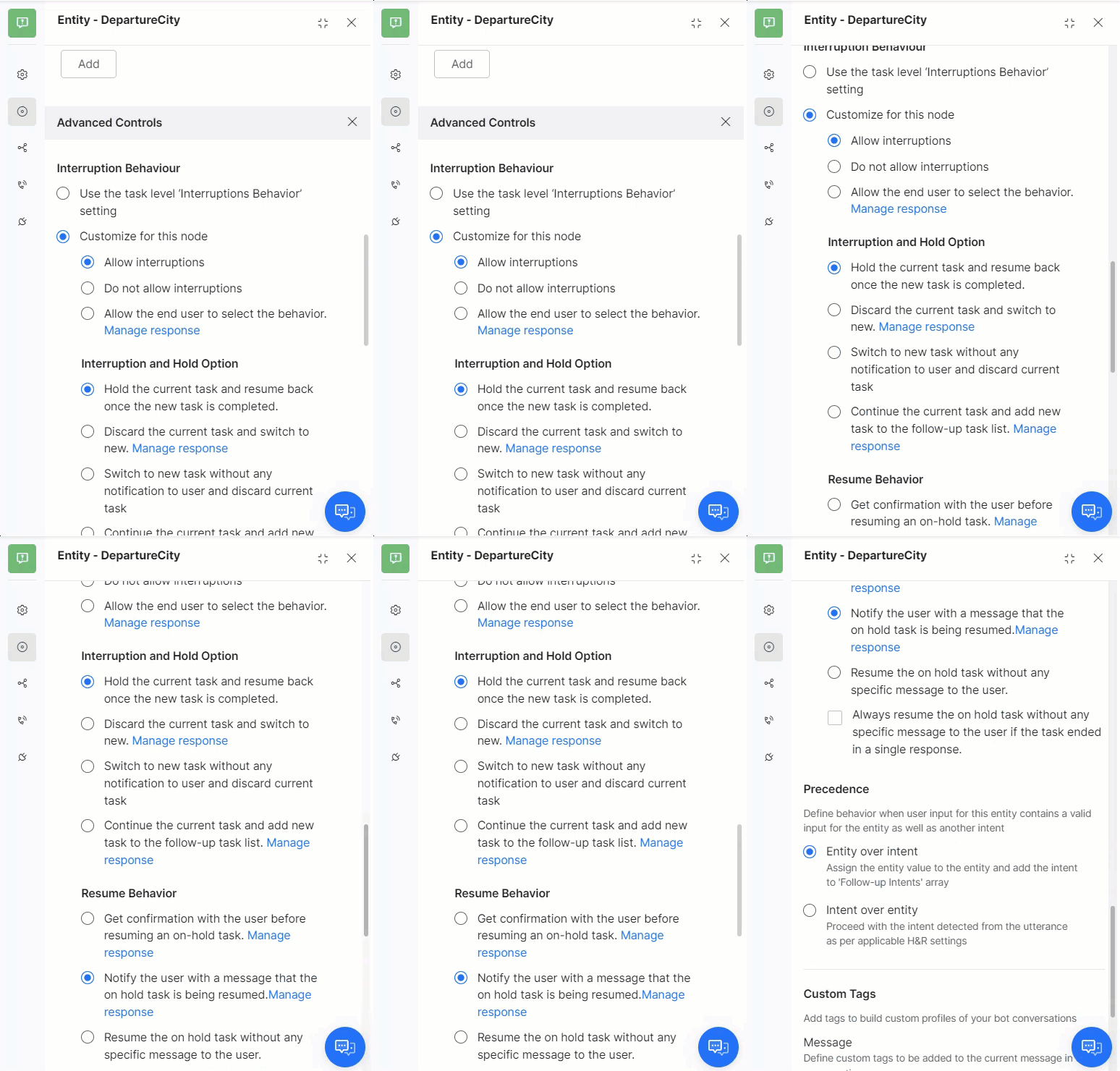
- Open the dialog task and select the node.
- Go to the Instance tab > Advanced Controls.
- Under Interruptions Behavior, select Customize for this node and configure settings.
Dialog-Level Customization
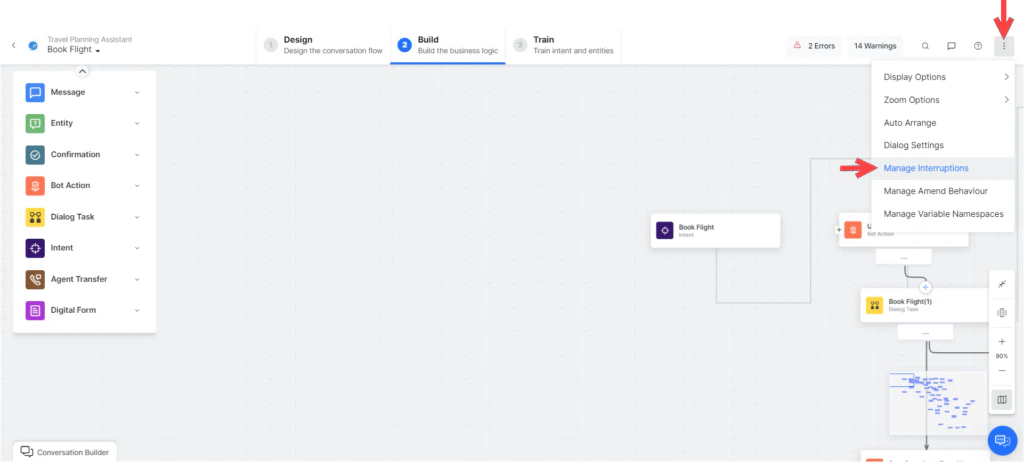
- Open the dialog task.
- Click the more options icon (top-right of Dialog Builder) > Manage Interruptions.
- Under Interruptions Behavior, select Customize for this task and configure settings.
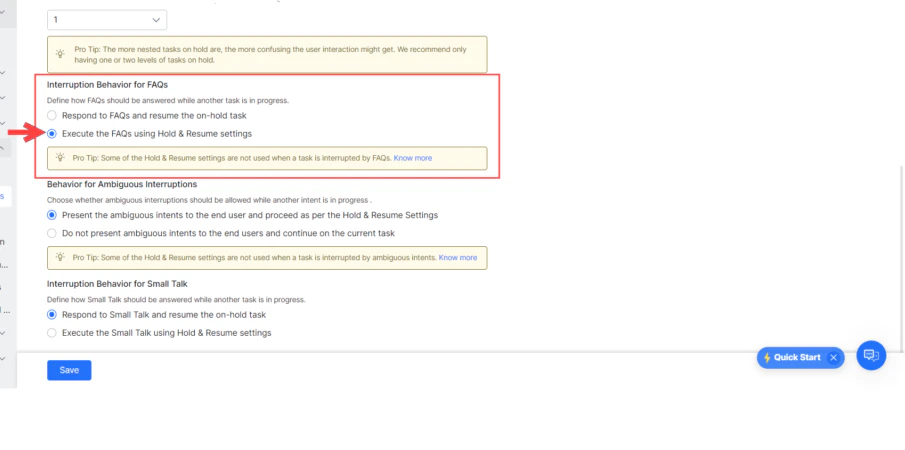
Behavior for FAQs
| Option | Behavior |
|---|---|
| Respond to FAQs and resume the on-hold task (default) | AI Agent answers the FAQ and then resumes the on-hold task. |
| Execute the FAQs using Hold & Resume Settings | Treats FAQ intents like any other intent and applies configured Hold & Resume settings. |
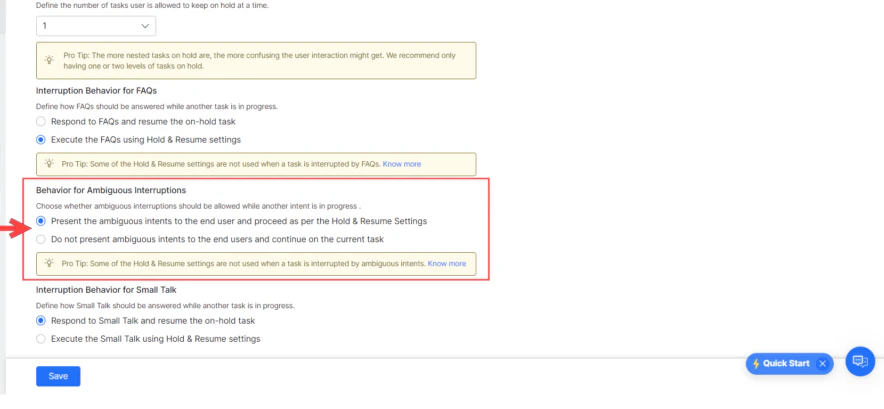
Behavior for Ambiguous Intents
| Option | Behavior |
|---|---|
| Present ambiguous intents to the end-user and proceed as per Hold and Resume settings | User selects a task; interruption settings are applied based on the selection. |
| Do not present ambiguous intents and continue on the current task (default) | AI Agent ignores ambiguous intents and continues the current task. |
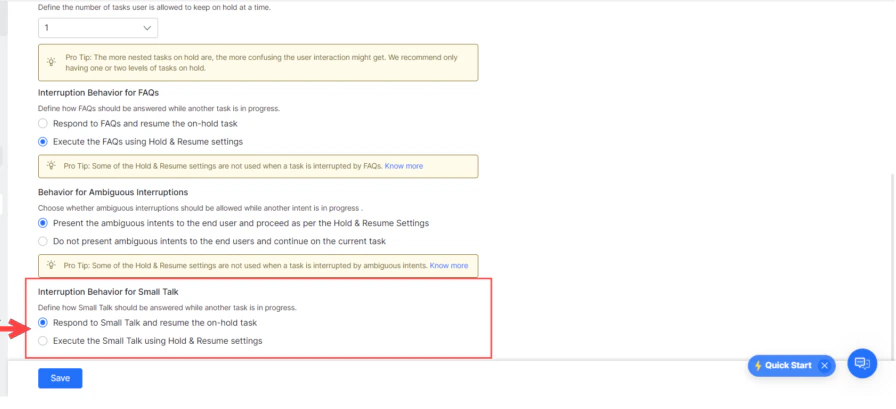
Behavior for Small Talk
| Option | Behavior |
|---|---|
| Respond to Small Talk and resume the on-hold task (default) | AI Agent responds to Small Talk by putting the current task on hold, then resumes it. |
| Execute Small Talk using Hold & Resume settings | Applies configured Hold & Resume settings to Small Talk. |
Behavior for User Authorization
When a user provides unexpected input at an authorization prompt:- If Small Talk is detected: Small Talk response is shown, and the authorization prompt is repeated.
- The Platform checks for any intents regardless of interruption settings:
- Single intent detected — Asks the user to confirm discarding the current task and triggering the new one.
- Multiple intents detected — Shows an ambiguity dialog with an option to ignore and continue the current task.
- If no intent is found — User is re-prompted with the authorization link.