
Overview
The Audit Log system records every administrative and user action on the platform, creating a tamper-resistant trail that supports security, compliance, and troubleshooting.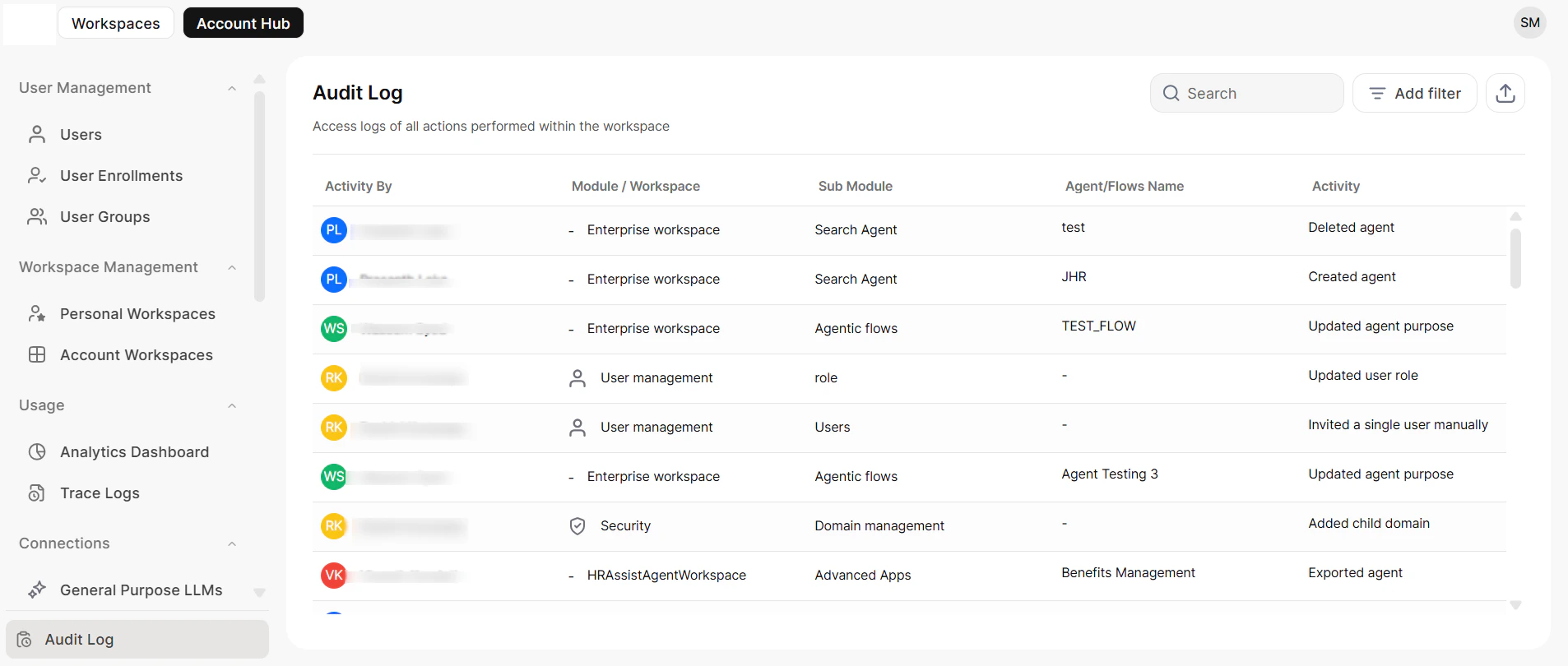
| Location | What it tracks | Who can access |
|---|---|---|
| Admin Hub | Platform-wide configuration changes — user management, security settings, assistant config, workspace management | Full admins (all logs); custom admins (modules they manage) |
| Workspace | Team-level activity — collaborator changes, permission updates, workspace configuration, resource allocation | Workspace administrators |
| Agent | Agent-level activity — creation, modification, publishing status, integrations | Users with edit access or ownership of the agent |
Log Entry Details
Every log entry captures the following fields: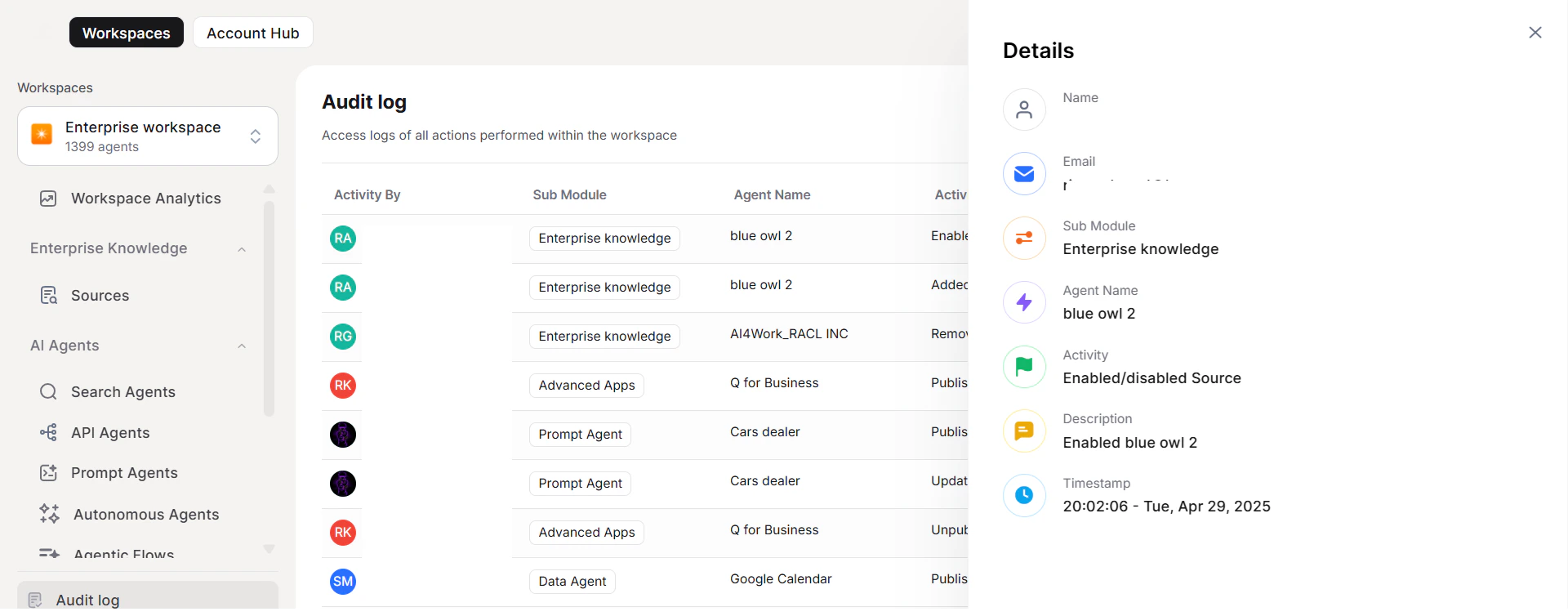
| Field | Description |
|---|---|
| User | Full name and email address of the person who performed the action |
| Module | The functional area where the activity occurred (e.g., User Management, Security, or a specific agent page) |
| Activity | A concise description of the action and its impact |
| Timestamp | Exact date and time of the activity in a consistent format |
Filtering
Use the built-in filters to narrow log results for investigation or review.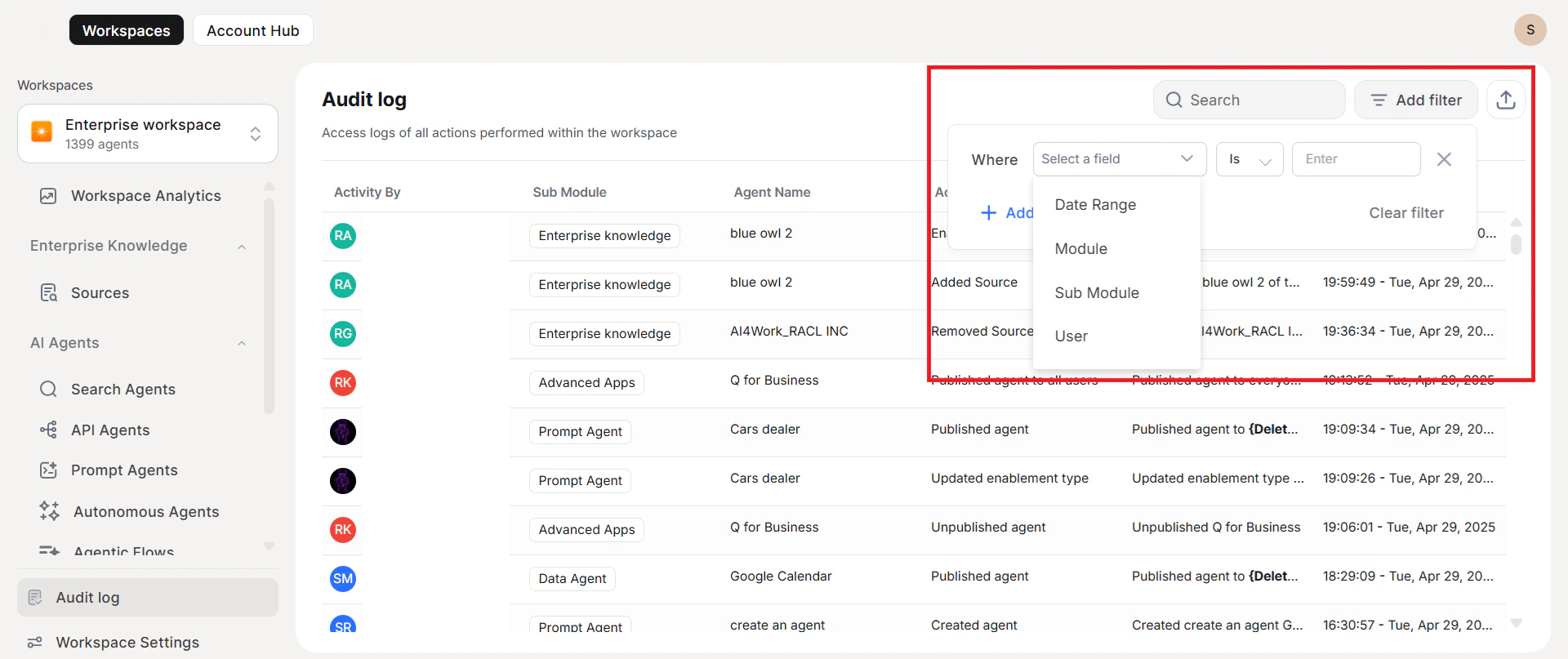
| Filter | Description |
|---|---|
| Date Range | Limit results to a specific time period |
| User | Show activity from a specific individual |
| Module / Sub-module | Focus on a functional area; the filter adapts dynamically based on the current log context |
Export
Export filtered logs for compliance reporting, investigations, or record-keeping.
- Click Export to download the current filtered view as a CSV file.
- All data fields and relationships are preserved in the export.
System Integrity
The Audit Log system is built with the following guarantees:| Property | Description |
|---|---|
| Real-time logging | Actions are recorded instantly when performed |
| Consistent format | Log entries use the same structure across all three locations |
| Complete coverage | No entries are missing or duplicated |
| Tamper resistance | All logs are read-only and cannot be modified |
Audit Log API
Use the Audit Log API to retrieve log data programmatically for custom reporting, SIEM integration, or compliance workflows.| Property | Value |
|---|---|
| Method | GET |
| Endpoint | https://{{host}}/api/public/auditlogs |
| Content-Type | application/json |
| Authorization | auth: {{Admin's Personalkey}} |
Query Parameters
All parameters are optional unless your use case requires scoping. Combine them to narrow results.| Parameter | Description | Example |
|---|---|---|
entity | Type of resource to filter by | entity=usergroups |
entityId | Unique ID of a specific resource instance | entityId=12345 |
userId | Filter by the user who performed the action | userId=john_doe |
emailId | Filter by the email address of the acting user | emailId=john.doe@example.com |
startTime / endTime | Time window for the query (ISO 8601 format) | startTime=2024-12-01T00:00:00Z&endTime=2024-12-05T23:59:59Z |
action | Type of action: create, update, or delete | action=create |
Supported Entities and Actions
| Entity | entity Key | Supported Actions |
|---|---|---|
| User Group | usergroup | create, update, delete |
| Agent | Agent | create, update, delete |
| Role | role | create, update, delete |
| SSO Status | ssostatus | update |
| Service Account | serviceaccount | create, update, delete |
| LLM Integrations | llmintegrations | create, update, delete |
| Domains | domains | create, update, delete |
| Rate Limits | ratelimits | update |
| Email Notification Preferences | emailnotificationpreferences | update |
| Business Rules | nlprules | create, update, delete |
| User Enrollment | userenrollment | update |